


vSroMax
Complete Protection, Management and Custom Systems for vSRO 1.188
Secure your server • Control your systems • Improve your players' experience
1.png)
Available as a Monthly Rental
Developed exclusively for vSRO 1.188 server files
────────────────────────
About vSroMax Filter
vSroMax Filter is a complete solution for vSRO 1.188 server owners.
It combines server protection, network control, gameplay configuration, events, player systems and client improvements in one professionally managed product.
Instead of maintaining many unrelated tools, server owners can control the supported systems from one organized Manager.
Supported server files: vSRO 1.188 only
License type: Monthly rental
Installation: Self-installation or installation by us
Configuration: Included Manager and customer guides
Support: Available through our Discord server
What You Receive
You receive the complete vSroMax Filter package for vSRO 1.188.
The full package contains everything required to use the supported protection, management, event and gameplay features shown in this topic.
You can install the package yourself by following the provided instructions, or we can install and configure it for you.
Network and Server Protection
- GatewayServer, DownloadServer and AgentServer protection: Players connect through protected public listeners instead of directly exposing the original services.
- Proxy redirection: Replaces the service addresses sent to the client so the complete login and game route remains behind the Filter.
- Packet validation: Rejects malformed, unexpected or disallowed traffic before it can reach the protected service.
- Opcode control: Allows administrators to block unwanted packet types and apply limits to sensitive requests.
- Exploit protection: Detects supported malicious request patterns and prevents them from being forwarded.
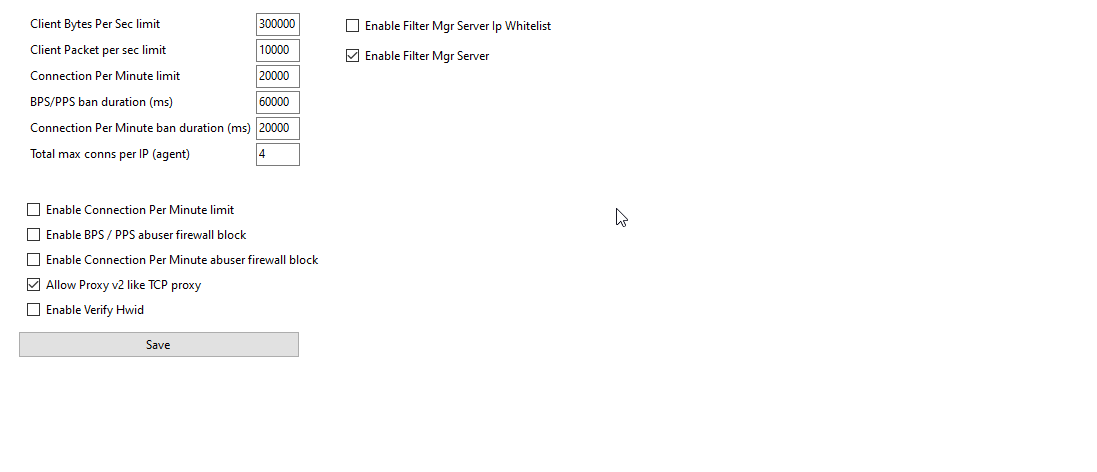
- Traffic-rate limits: Controls packets and bytes per second for each connection to reduce packet and bandwidth floods.
- Connection-rate limits: Limits repeated connection attempts from one IP during a configured period.
- Connection capacity: Controls simultaneous connections per IP and the total accepted by each listener.
- Runtime bans: Temporarily blocks abusive addresses for the configured duration without requiring a permanent ban.
- Windows Firewall integration: Can escalate confirmed network abuse to a host firewall block when enabled.
- IP whitelist: Protects trusted operational addresses from supported automated blocks.
- Multi-Filter support: Allows the same protected configuration to be deployed consistently across multiple Filter instances.
- Global HWID and IP limits: Defines how many characters may connect from the same computer or public address.
- World-specific HWID limits: Applies a different computer limit inside selected game worlds or activities.
- Region restrictions: Enforces supported entry or usage limits only inside selected regions.
- Character bypass: Exempts approved characters from a specific HWID or IP limit without disabling it globally.
- Trusted HWID and IP entries: Provides controlled exceptions for administrators, testing machines or approved shared networks.
- Shared-network handling: Helps cafés, families and other legitimate users sharing one public IP follow a documented exception policy.
- Bot and plugin restrictions: Blocks supported bot/plugin behavior in protected activities such as jobs, events or fortress content.
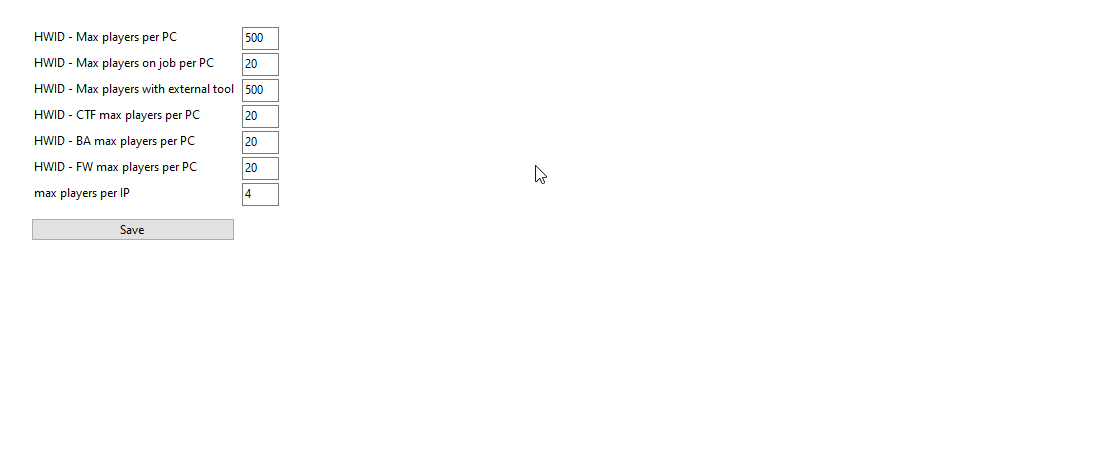
The included vSroMax Manager provides organized pages for configuring the Filter and supported server systems.
- Primary and secondary configuration: Groups the main server limits, switches and behavior settings in labeled pages.
- Network and proxy configuration: Manages public listeners, real service destinations, redirection and traffic limits.
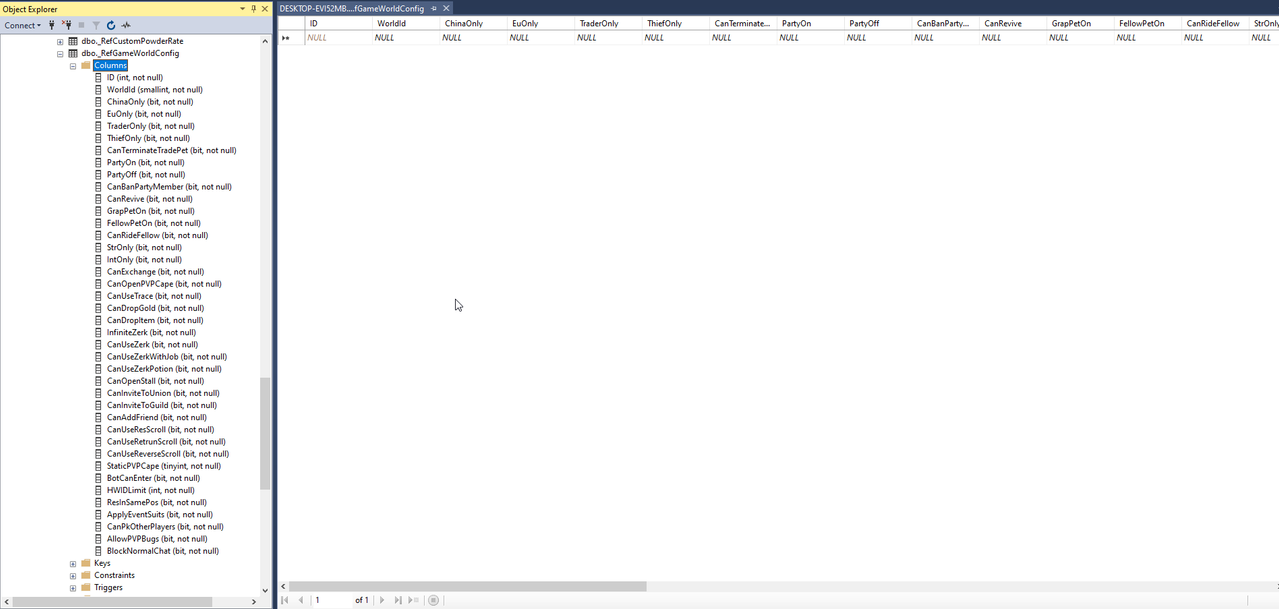
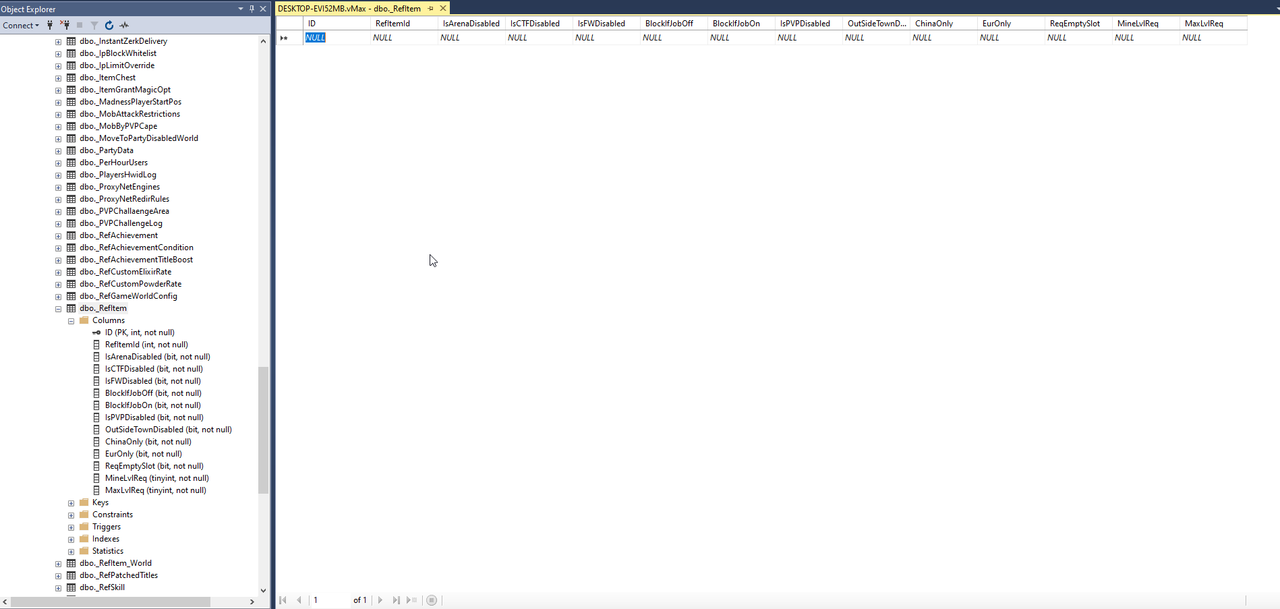
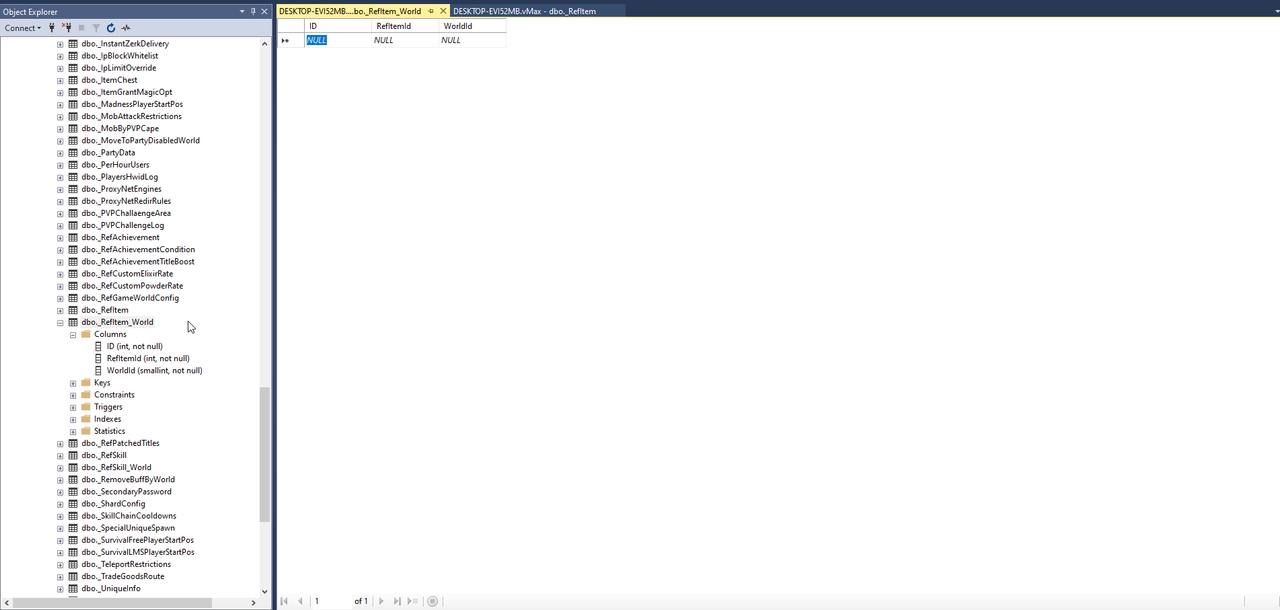
- Database configuration pages: Provides organized editors for supported items, rewards, worlds, restrictions and gameplay records.
- Events and schedules: Controls event availability, rules, times, regions, registration and rewards.
- World and region settings: Applies selected behavior only where it is needed instead of changing the entire server.
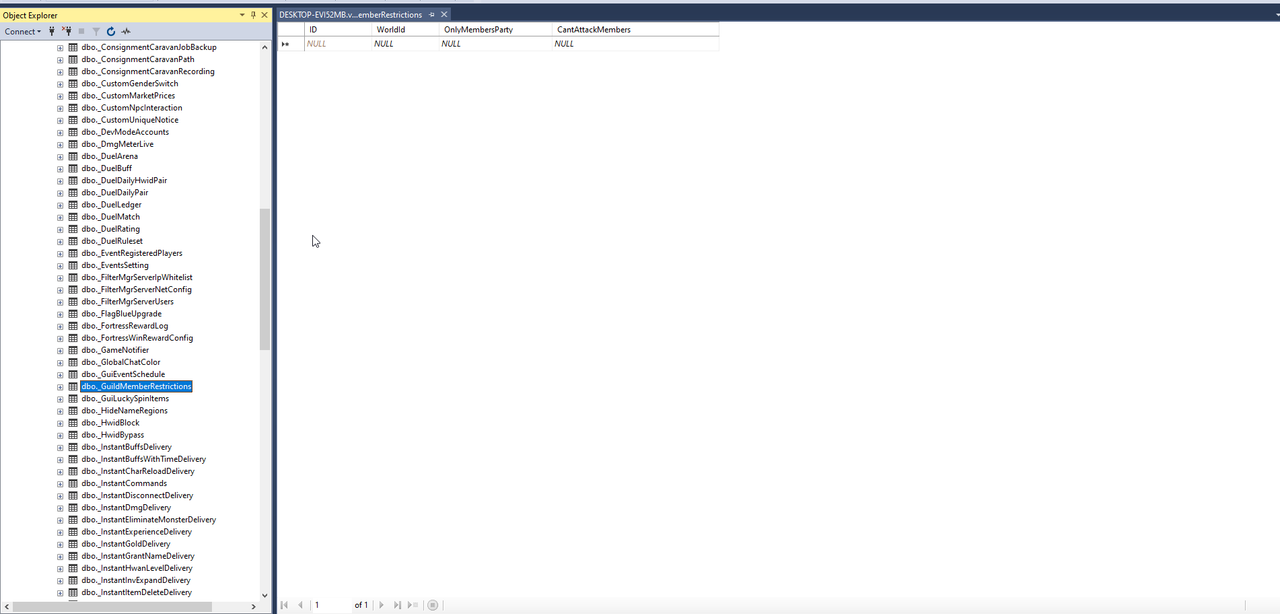
- Gameplay restrictions: Centralizes item, skill, guild, party, job and PvP rules.
- Client feature controls: Enables supported interface features and compatibility options for the supplied client.
- Live controls: Applies supported runtime switches without requiring administrators to edit raw database rows.
- Records and logs: Exposes the supported operational data needed to review player and system activity.
Gameplay Limits and Controls
- Level and mastery limits: Controls the maximum character progression supported by the server configuration.
- Inventory, storage and pet limits: Keeps the available slot counts within the configured server and client capacity.
- World-entry restrictions: Defines which players or states may enter selected game worlds.
- Teleport restrictions: Blocks selected teleport gates globally, conditionally or during configured time periods.
- Return, resurrection and transport rules: Prevents restricted movement methods in selected gameplay situations.
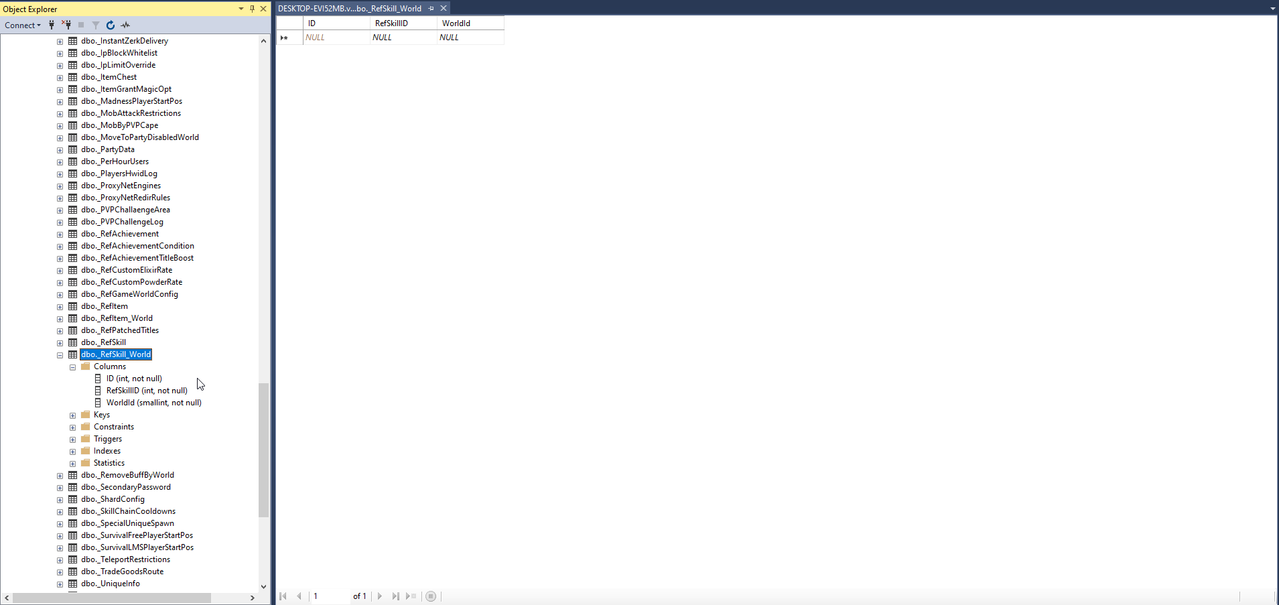
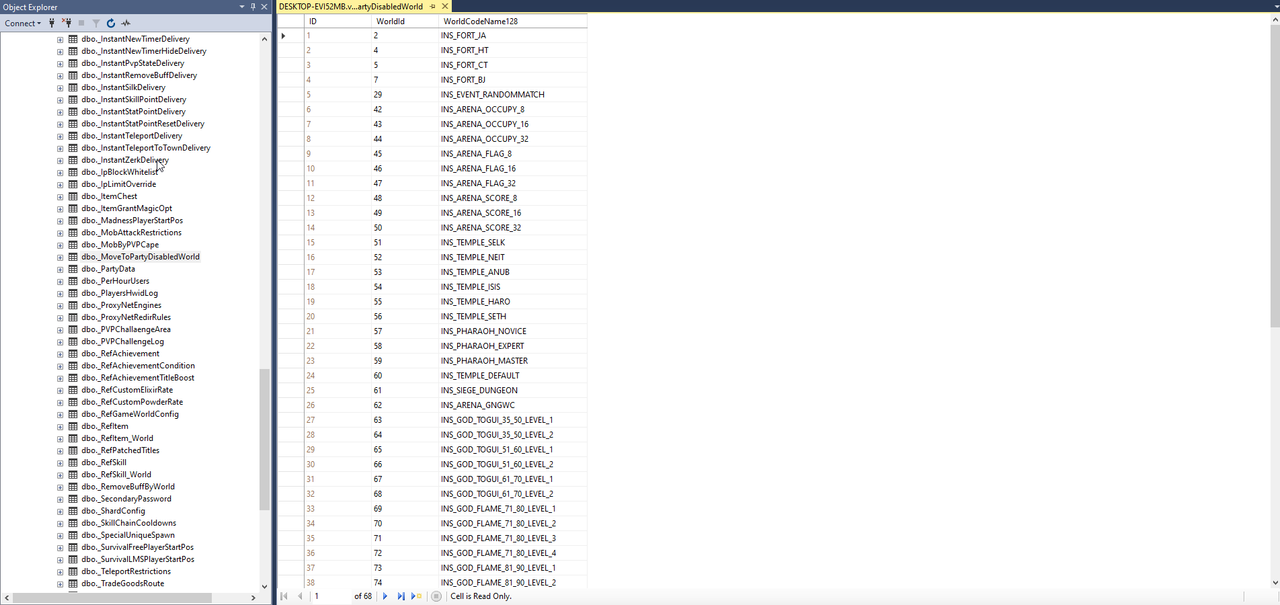
- Move-to-party restrictions: Disables party-member movement inside worlds where instant movement would be unfair.
- World and region rules: Applies different gameplay policies to events, dungeons and special zones.
- Hidden-name regions: Hides player-identifying information in configured competitive areas.
- Buff removal by world: Removes configured effects when a player enters a world where those buffs are not allowed.
- Mob attack restrictions: Controls attacks against configured monsters according to the supported player, world or activity conditions.
- Delay restrictions: Applies configured cooldowns to protected actions so they cannot be repeated too quickly.
- Fellow Pet restrictions: Controls supported Fellow Pet access or behavior in selected activities and locations.
- Infinite Berserk worlds: Allows configured worlds to use the supported continuous Berserk behavior.
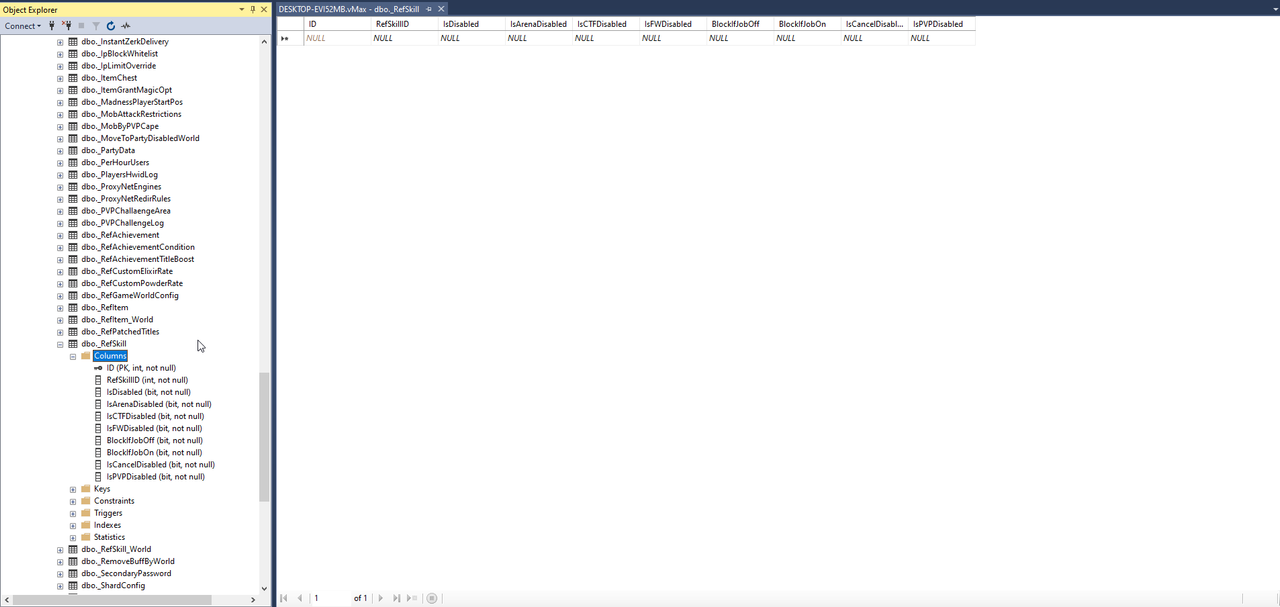
- Global skill and item restrictions: Disables selected skills or items everywhere when they conflict with server rules.
- World-specific restrictions: Blocks selected skills or items only inside configured worlds.
- Conditional usage rules: Enforces supported player-state, equipment or activity requirements before use.
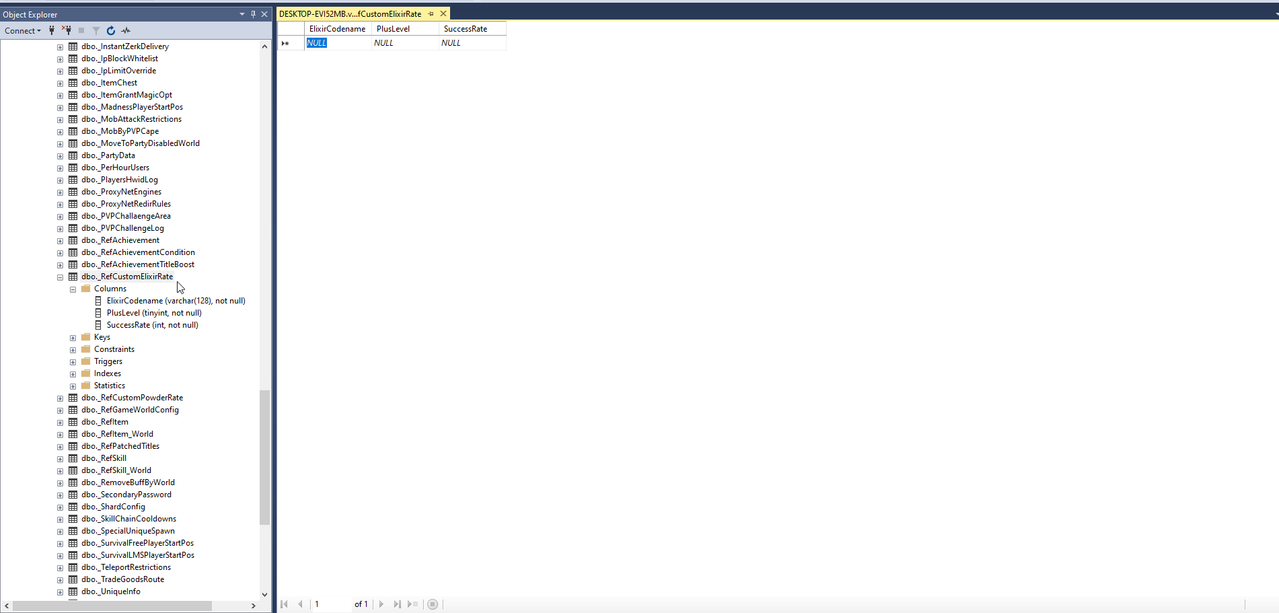
- Custom elixir rates: Defines reinforcement success chances for configured item groups and enhancement levels.
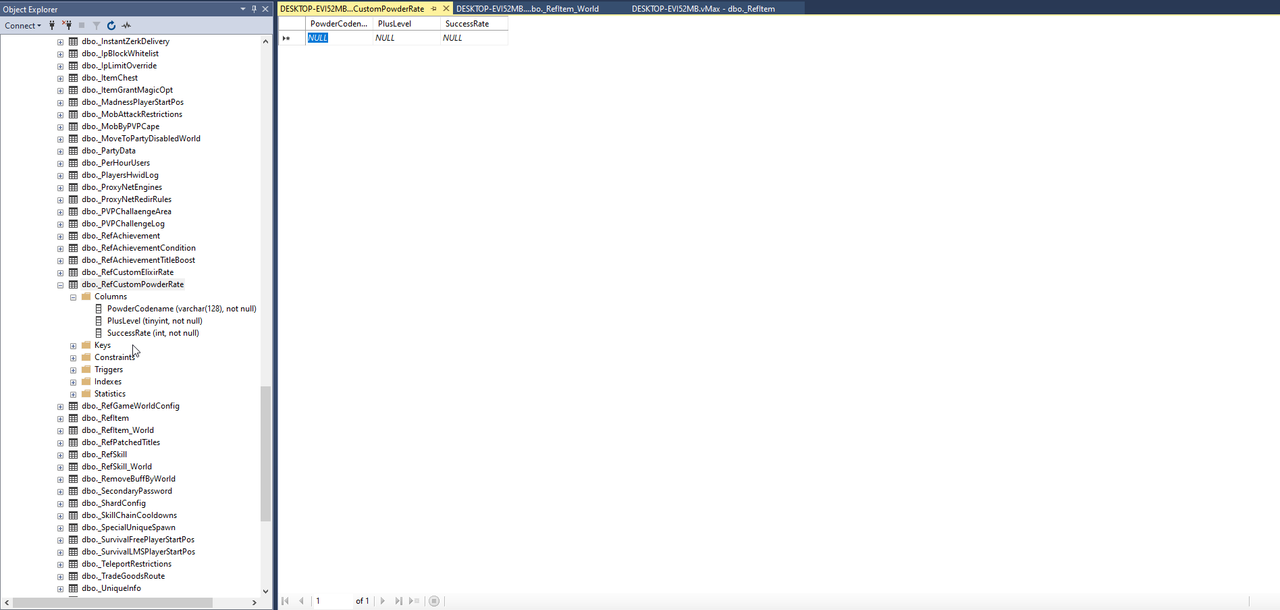
- Custom powder rates: Controls powder-based enhancement chances independently from ordinary elixir rules.
- Magic-option granting: Adds configured options to eligible granted items in a controlled and repeatable way.
- Item chest configuration: Defines the rewards and quantities available through supported chest systems.
- Equipment and job-suit rules: Controls when special equipment can be worn, removed or used.
- Old-school alchemy: Restores the familiar classic alchemy experience for servers that prefer the original style.
- Static alchemy tooltip: Keeps relevant alchemy information visible so players can review the active values more easily.
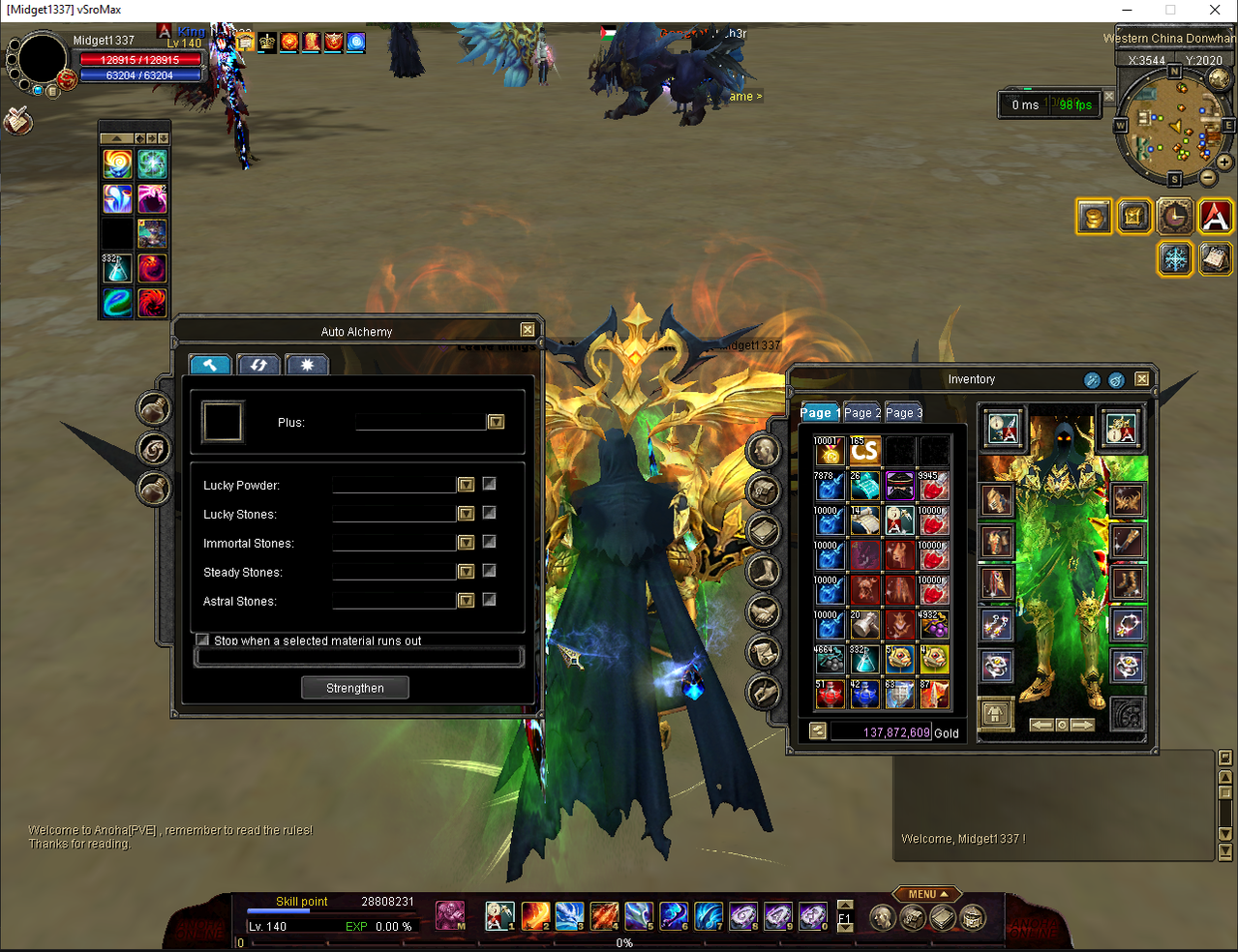
- Auto Alchemy: Automates repeated supported enhancement attempts while respecting the configured limits and stopping conditions.
- Auto State Stone: Helps players process supported attribute stones without repeating every operation manually.
- Alchemy result improvements: Provides clearer stone results, reinforcement notices and supported critical or ignore feedback.
- Maximum enhancement by item: Allows different item groups to use their own configured maximum plus limit.
- Ticket-based extra blues: Lets supported tickets grant configured additional magic options to eligible equipment.
Live Custom Scrolls
Live scrolls change an item while the player is standing in the world. No NPC, no relog, no manual database work: the player right-clicks the scroll, picks the target item, and the change is applied, saved and shown immediately.
Included Scrolls
- Avatar Gender Switch: Converts an equipped avatar into its opposite-gender version.
- Job Suit Gender Switch: Converts an equipped job suit into its opposite-gender version.
- Guild Devil Flag Gender Switch: Converts an equipped flag item into its opposite-gender version.
- Devil and Angel Spirit Gender Switch: Converts an equipped devil or angel spirit into its opposite-gender version.
- Item Race Change: Converts an equipped weapon, shield, armor piece or accessory between the Chinese and European versions, including the correct weapon type for the item's degree.
- Job Suit Race Change: Converts an equipped job suit between the Chinese and European versions.
- Job Suit Type Change: Converts an equipped job suit between Hunter, Thief and Trader. One scroll per target type.
- Armor Set Change: Three separate scrolls convert an equipped armor piece to Heavy Armor, Light Armor or Garment.
- Character Race Change: Changes the character itself between races, including the character model and scale, and updates the guild member record so the guild window stays correct.
- Advanced Elixir Upgrade: Upgrades an advanced elixir to its next enhancement code.
- Advanced Elixir Remover: Removes the advanced-elixir enhancement from an equipped weapon, shield, armor piece, accessory or avatar.
- Blue Remover: Clears every magic option from an equipped item.
- Job Suit Blue Remover: Clears every magic option from an equipped job suit.
- Durability Remover: Removes the maximum-durability magic option from an equipped weapon, shield, armor piece or accessory.
- Flag Blue Upgrade: Raises an equipped flag to the next enhancement level and replaces its magic options with the set you configured for that level, up to twelve options per flag.
Configurable Switcher Table
Besides the scrolls listed above, you can define your own switch scrolls in the _CustomGenderSwitch table without any code change. Each row describes one conversion:
- Scroll, source and target item: Which scroll converts which item into what. A scroll can serve any number of source items.
- Minimum plus: Optional requirement, restricting a conversion to sufficiently enhanced items.
- Exchange mode: The source item is consumed and a fresh target item is given instead of converting in place.
- Refresh modes: Reapply the character's appearance for visual-only conversions, and optionally refresh on the spot so the new look shows at once.
The flag enhancement sets are configured the same way in the _FlagBlueUpgrade table: one row per magic option, grouped by the enhancement level it belongs to. Both tables are read when the GameServer starts.
Built-in Safety Rules
- No use during job mode: Every live scroll is refused while the character is Hunter, Thief or Trader.
- Target validation: The item type is checked first, so a job suit scroll cannot be used on an avatar or an elixir scroll on a weapon.
- Equipped items only: Conversions act on equipped items, keeping the look and the stored item in sync. Race and set changes accept Chinese and European items only.
- No silent loss: The scroll is consumed only after validation passes. If a conversion cannot be resolved, the player keeps the scroll and the item.
- Persistent result: Every change is saved and survives relog, restart and character transfer. Character Race Change also requires no party and no equipped items.
What You Have To Prepare
- The package includes a Custom Scroll folder with ready item data, text data, tooltip descriptions, icons and models. Add the rows to your data files and database, and copy the media into your client.
- Fill the _CustomGenderSwitch and _FlagBlueUpgrade tables for your own conversions and flag option sets, then restart the GameServer.
- Sell the scrolls however you like: item mall, NPC, event reward, drop or Battle Pass.
Party, Guild and Fortress Systems
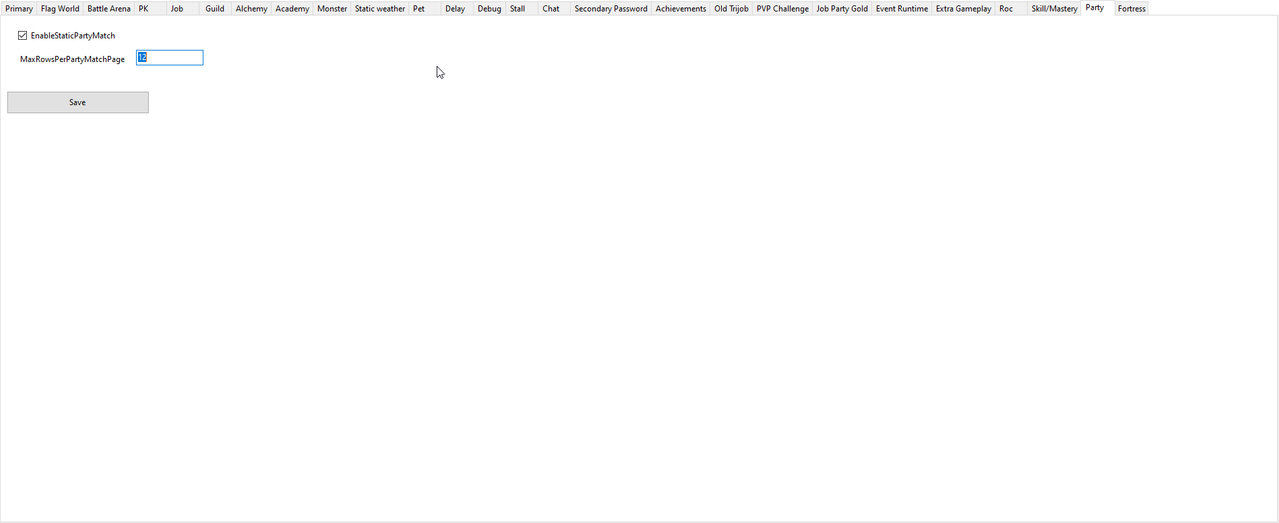
- Party restrictions: Controls party creation, joining and matching according to level, state, world or activity rules.
- Party member information: Shows supported member details that help players organize groups more effectively.
- Party master controls: Supports controlled master assignment and related party administration.
- Appoint Party Master: Lets the current leader transfer party leadership through the supported in-game control.
- Party member ping: Shows supported connection information to help groups identify unstable members.
- Party data logger: Records supported party activity for administration and troubleshooting.
- Move-to-party rules: Prevents party movement from bypassing event, dungeon or world travel restrictions.
- Party unique information: Records and displays supported party contribution or unique-kill details.
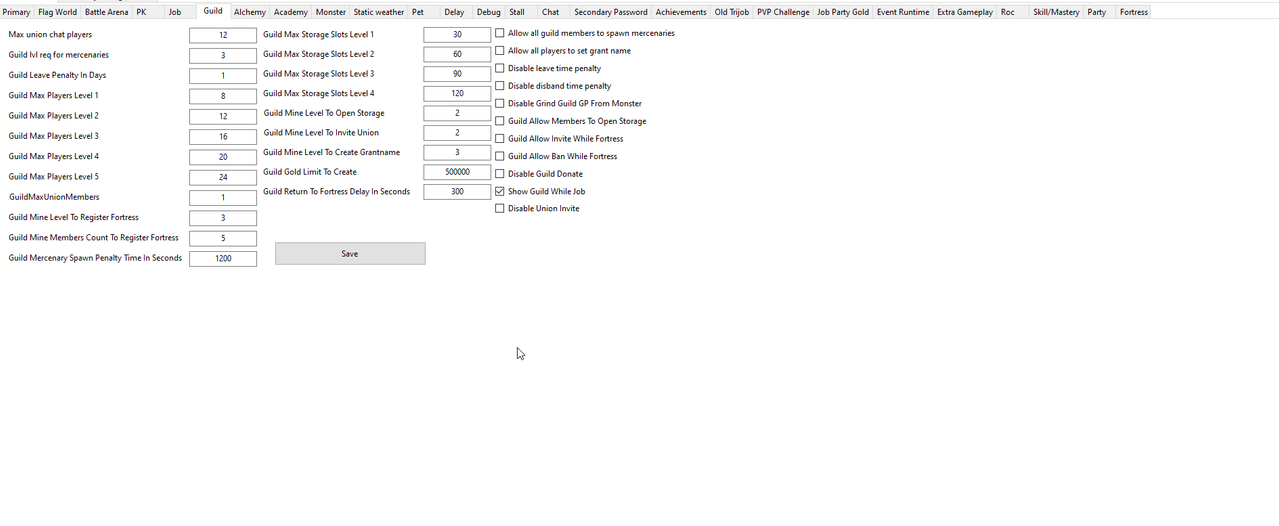
- Guild restrictions: Applies requirements and limits to guild creation and membership actions.
- Guild penalties: Controls supported cooldowns and penalties related to leaving or changing guilds.
- Fortress participation: Enforces the configured eligibility rules for fortress activities.
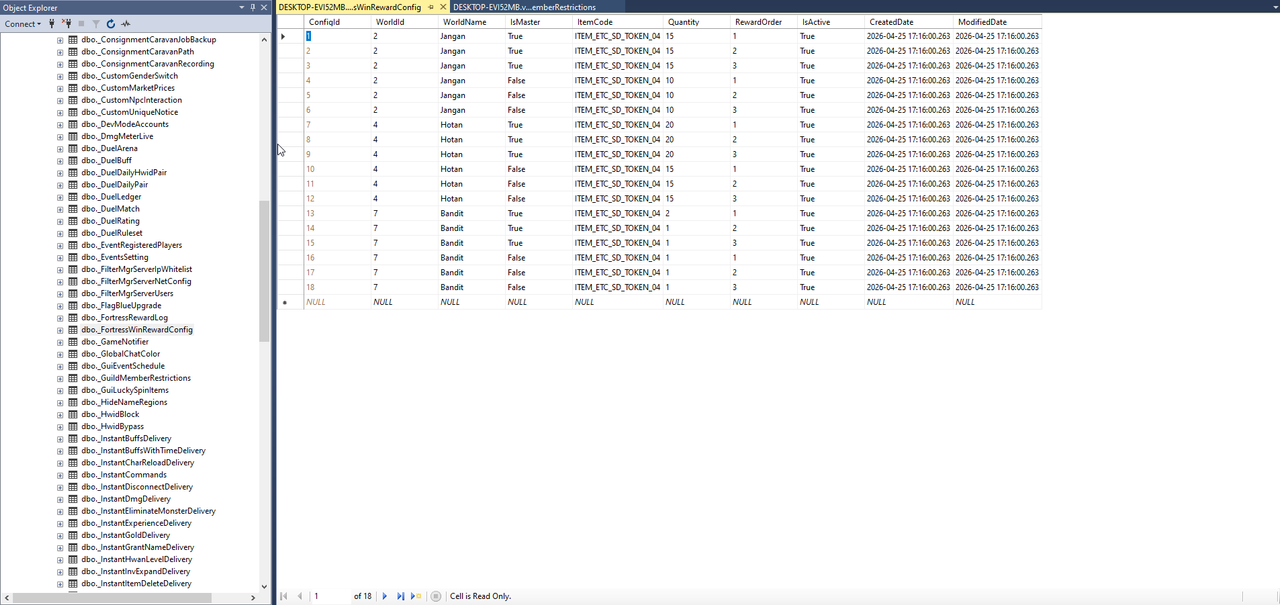
- Fortress rewards: Delivers configured rewards to eligible winners while maintaining a reward history.
- Fortress kill counter: Displays and records supported player kills during Fortress War.
- High-level guard spawn fix: Corrects Fortress War guard spawning for servers using level 130 or higher content.
Live Party Data Table
vSroMax keeps a live picture of every party in the _PartyData table, so your website and staff tools can see who is grouped with whom without asking the game server anything.
- One row per grouped character: The character and the party it belongs to, whether that character is the party leader, and its current job status.
- Always current: A row appears on joining, follows leader changes and is removed on leaving. The table shows the situation right now, not a history you must clean up.
- Made for websites and tools: A party finder page, a "who is playing with whom" view or a support lookup reads it directly with ordinary queries.
- Free for the game server: The data comes from traffic already passing through the Filter, so the game server does no extra work and sends no extra packets. Each record is written from that player's own connection, so the table stays correct across several game servers.

Job System
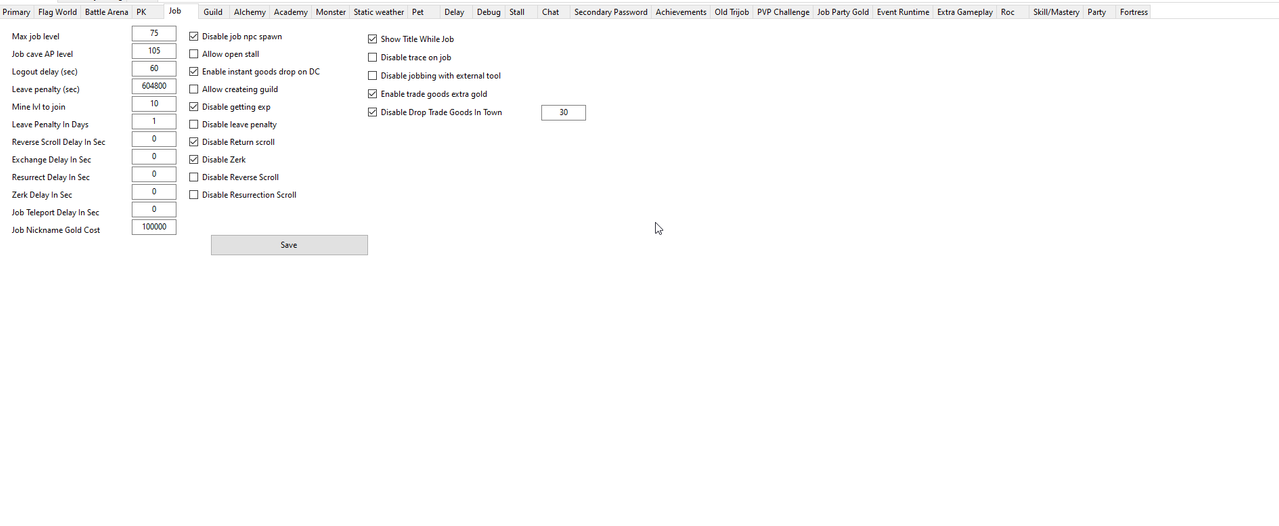
- Job creation and levels: Controls job registration requirements, starting rules and progression limits.
- Alias requirements: Enforces the configured identity requirements for participating in the job system.
- Job-suit behavior: Controls when job equipment may be worn or removed and what happens during restricted states.
- Trade-count limits: Limits supported trade activity to reduce abuse and keep the economy balanced.
- Trade goods and transports: Configures supported goods behavior, pets and transport access.
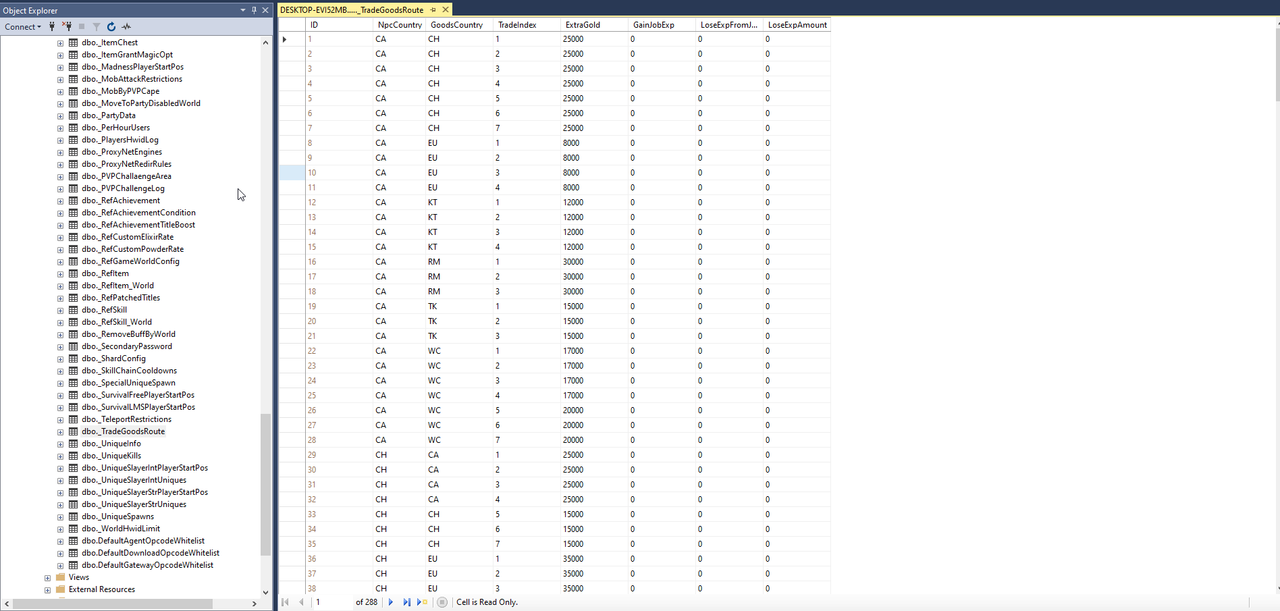
- Trade-route rewards: Controls the extra gold awarded for each supported good and town-to-town route.
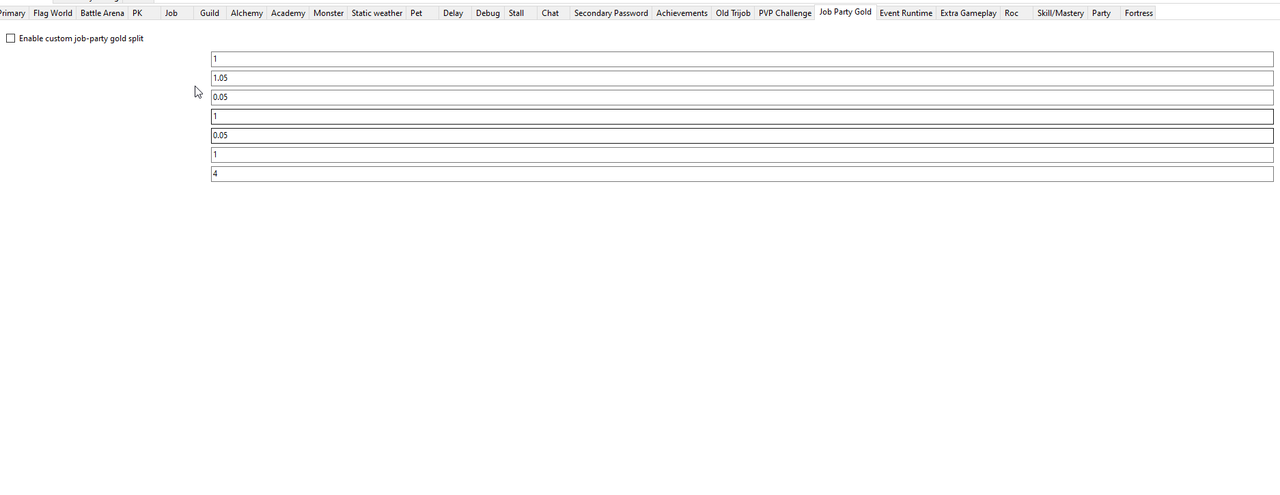
- Job-party gold rates: Configures how supported job gold rewards are distributed inside a party.
- Drop goods after logout: Preserves the configured trade-goods behavior when a job player disconnects.
- Job penalties: Applies the configured consequences for death, logout or prohibited job actions.
- Movement rules: Controls teleportation, resurrection and logout while a character is in job mode.
- Job versus normal players: Defines how job characters can interact with characters outside job mode.
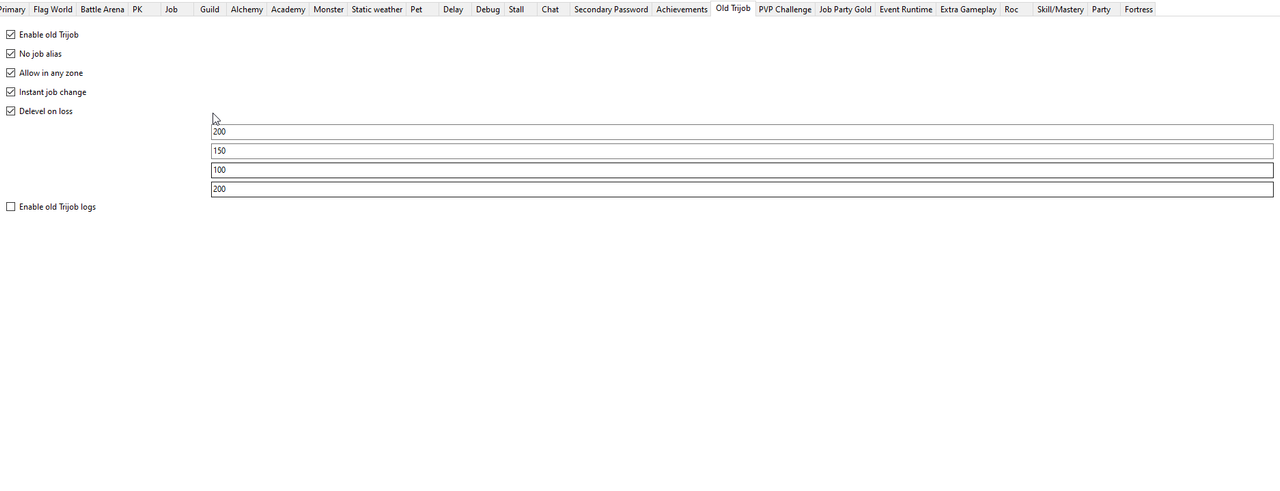
- Old TriJob System: Restores the supported classic Trader, Hunter and Thief progression behavior.
- Job EXP rules: Configures experience gain, loss and possible job-level loss.
- Same-job attacks: Allows or blocks attacks between players participating in the same job role.
- Job ranking fix: Corrects supported ranking behavior so job progress is represented consistently.
- Job alias change cost: Allows the job nickname change price to be configured in gold.
- Job-suit type scroll: Lets an eligible player switch the supported job-suit type by using the configured scroll.
- Job teleport confirmation: Adds a confirmation step before supported job teleport actions.
PK, PvP and Duel Systems
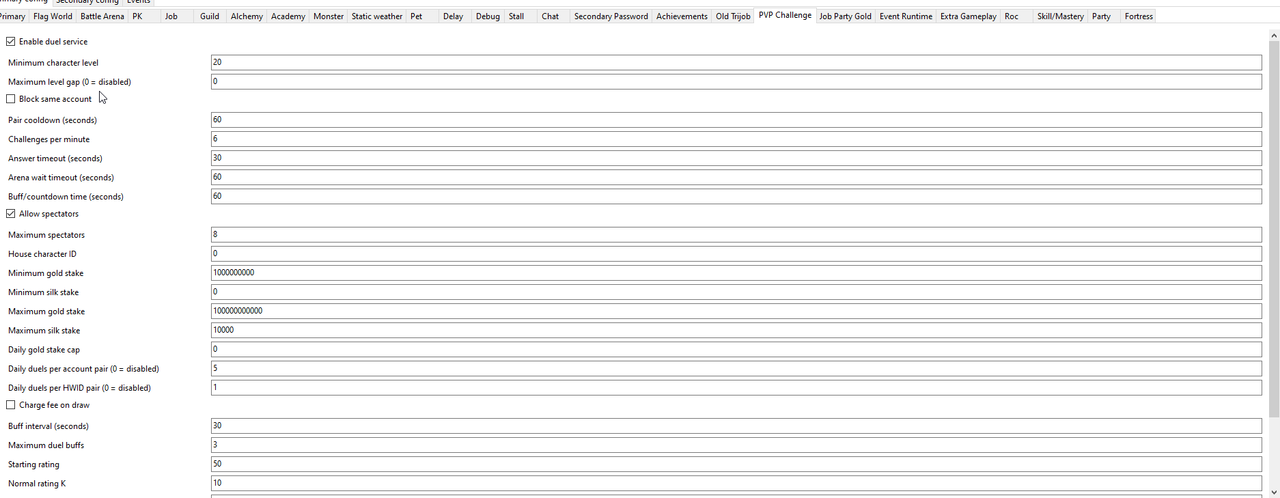
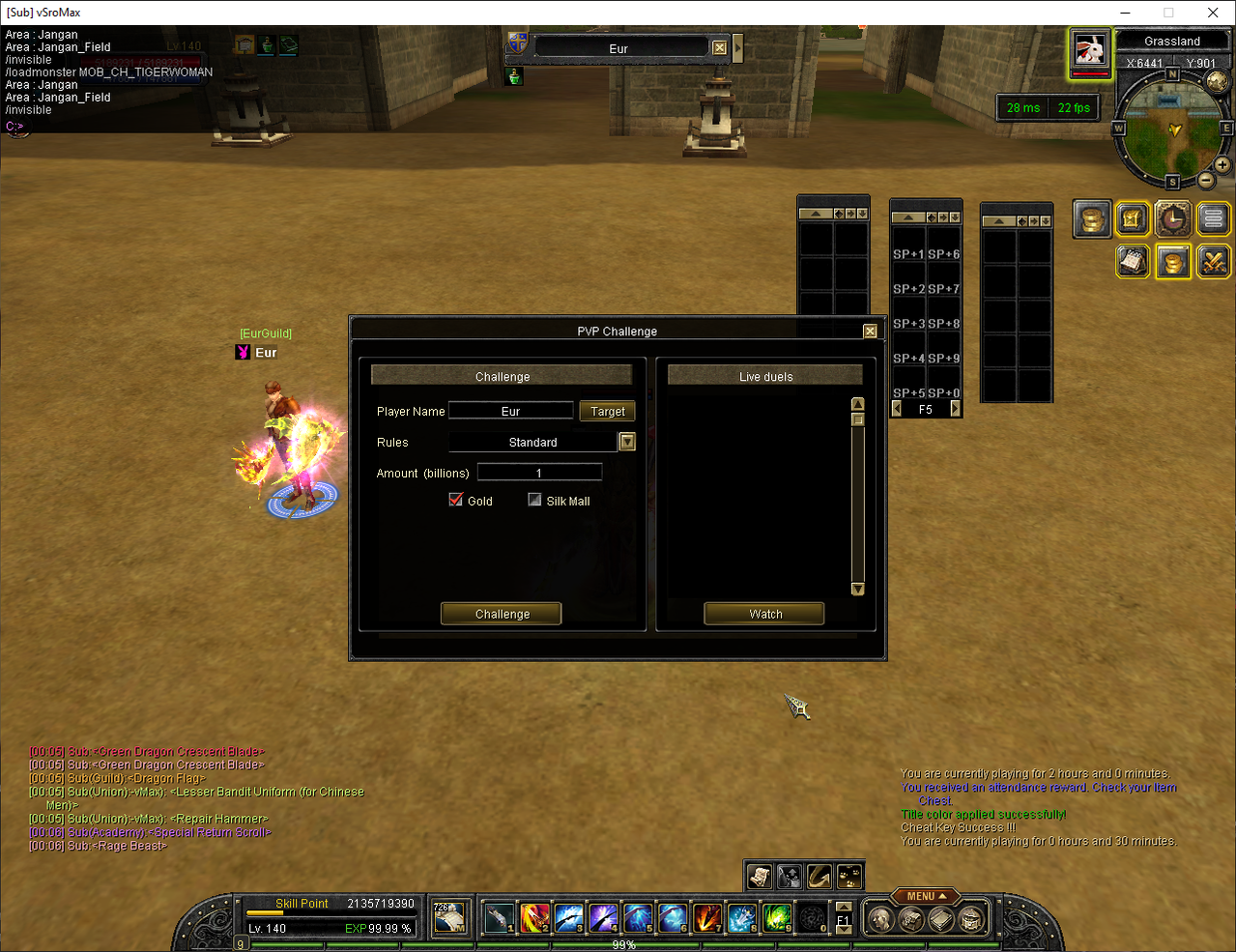
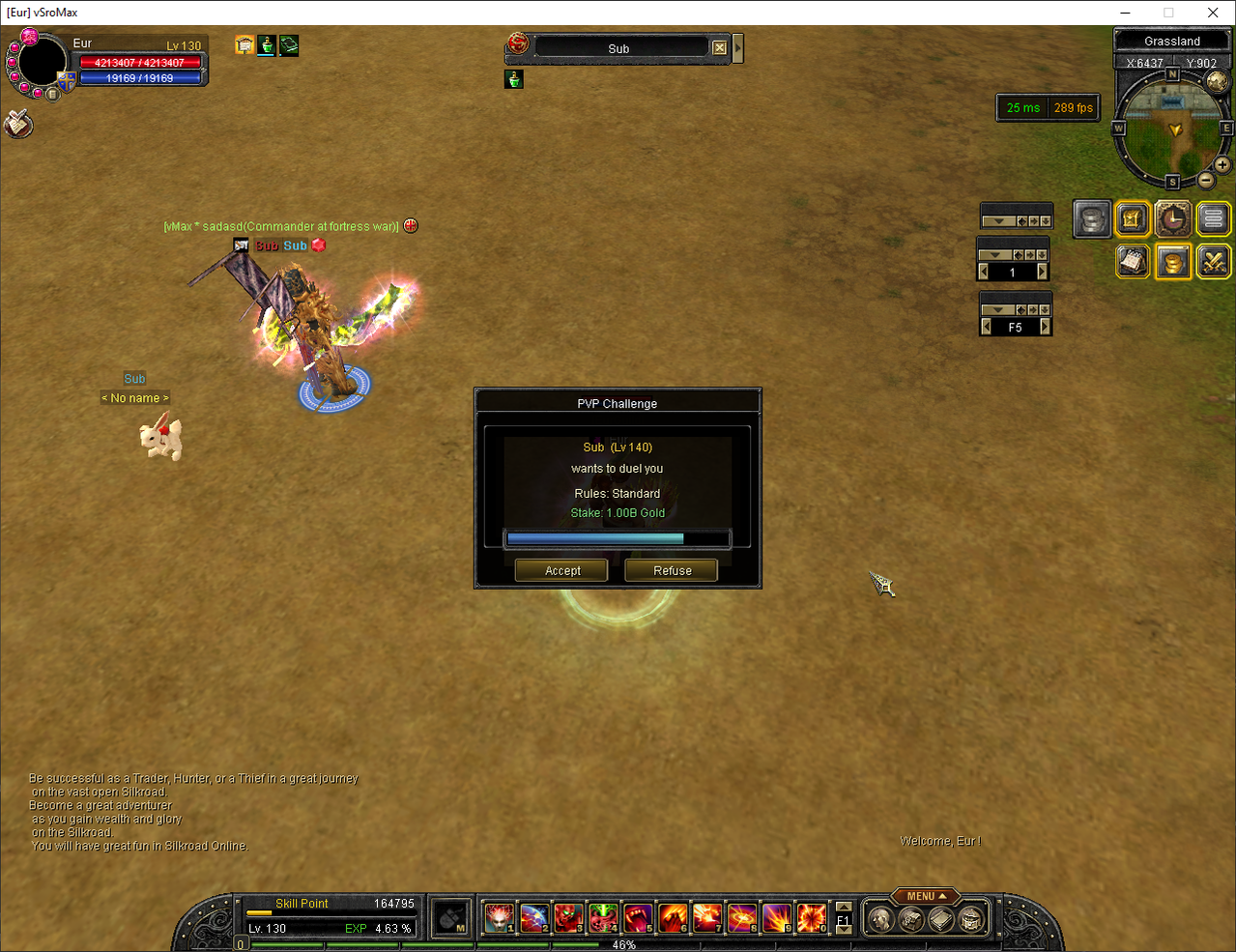
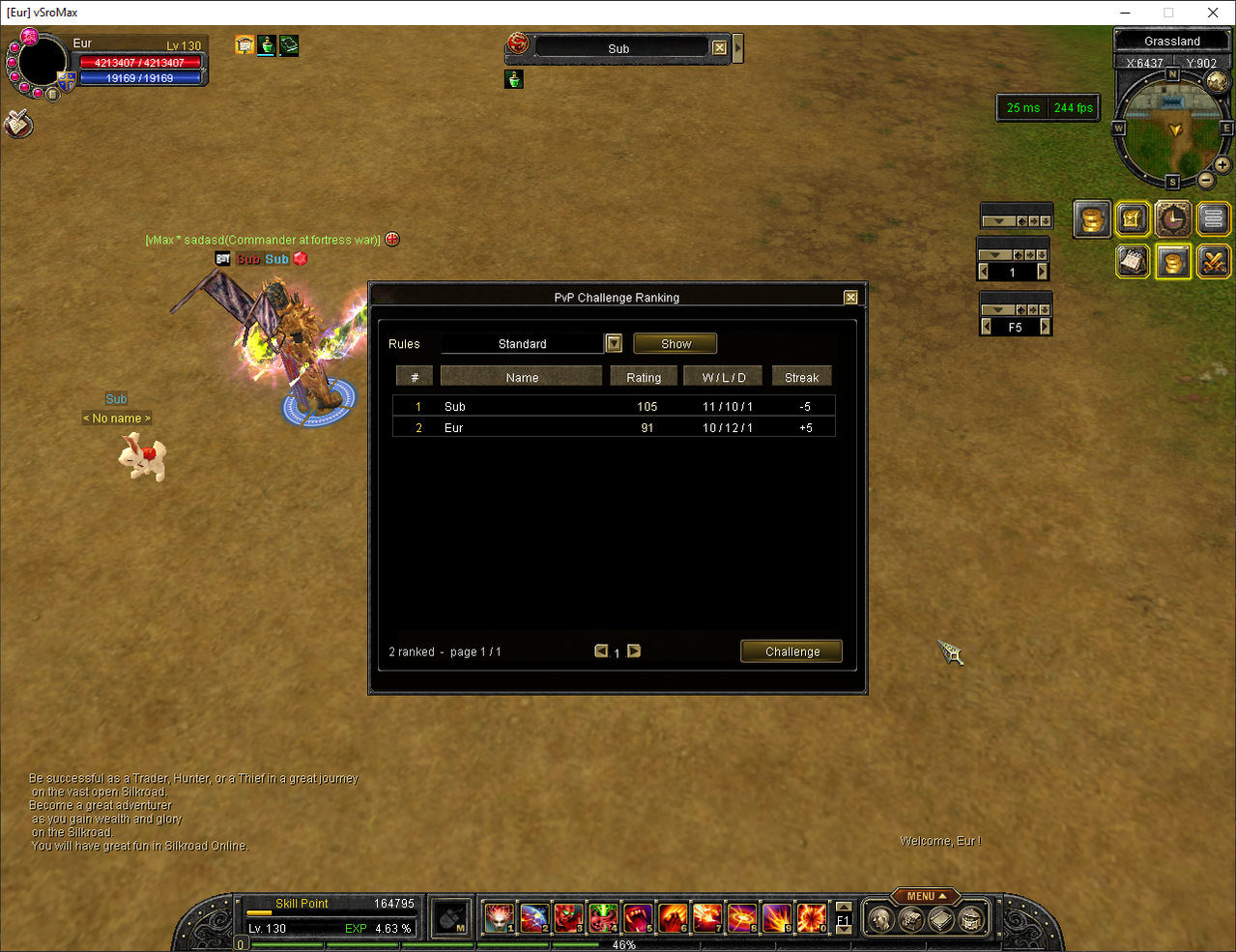
The Duel System is the updated version of the older PvP Challenge system. It is presented as one current feature, not as two separate systems.
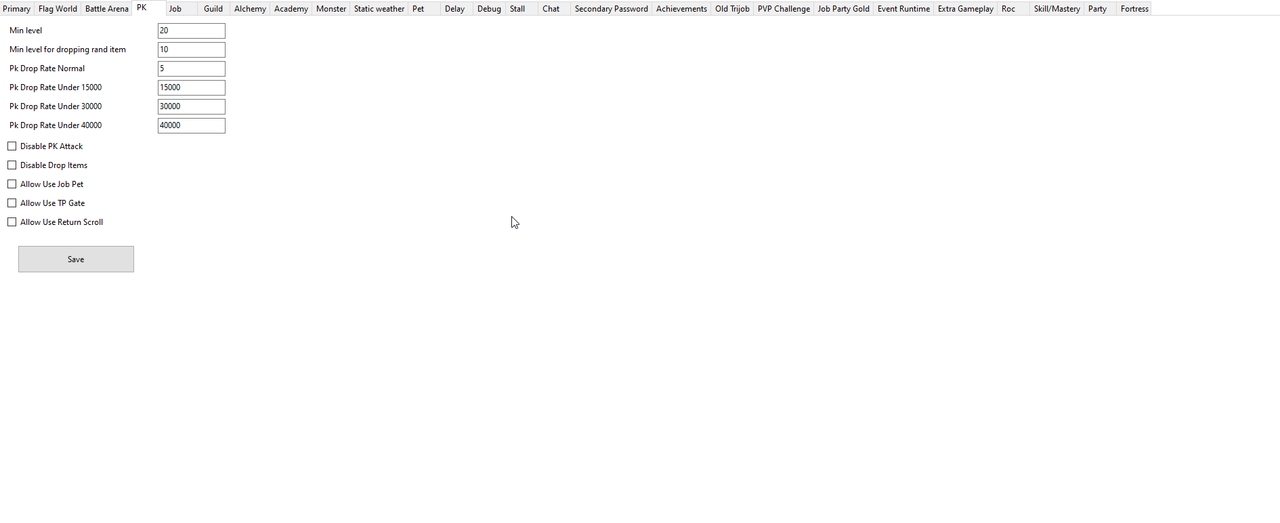
- PK controls: Configures PK attacks, penalties, item drops and the maximum permitted PK points.
- PK movement rules: Controls teleport, return-scroll and transport access for characters in a restricted PK state.
- Automatic PvP worlds: Applies the configured PvP Cape mode automatically when players enter selected worlds.
- PvP Cape mobs: Defines which monsters participate in each supported cape-combat mode.
- World and region PvP rules: Keeps normal, event and competitive areas under separate combat policies.
- Duel arenas and rulesets: Allows different arenas to use their own match, buff, skill and item rules.
- Daily opponent limits: Prevents repeated matches against the same opponent from being abused for ratings or rewards.
- Ratings and rewards: Tracks wins, losses, draws, streaks and configured competitive rewards.
- Interrupted-duel recovery: Protects supported pending match results and rewards when a participant disconnects.
Events
vSroMax includes a complete selection of automatic competitive, survival, defense and activity events. Each event can use its supported participation rules, locations, schedules, notices and rewards.
Included Event Lineup
- Defend the Tower: Players work through the configured defense event and protect the tower objective until the event is completed.
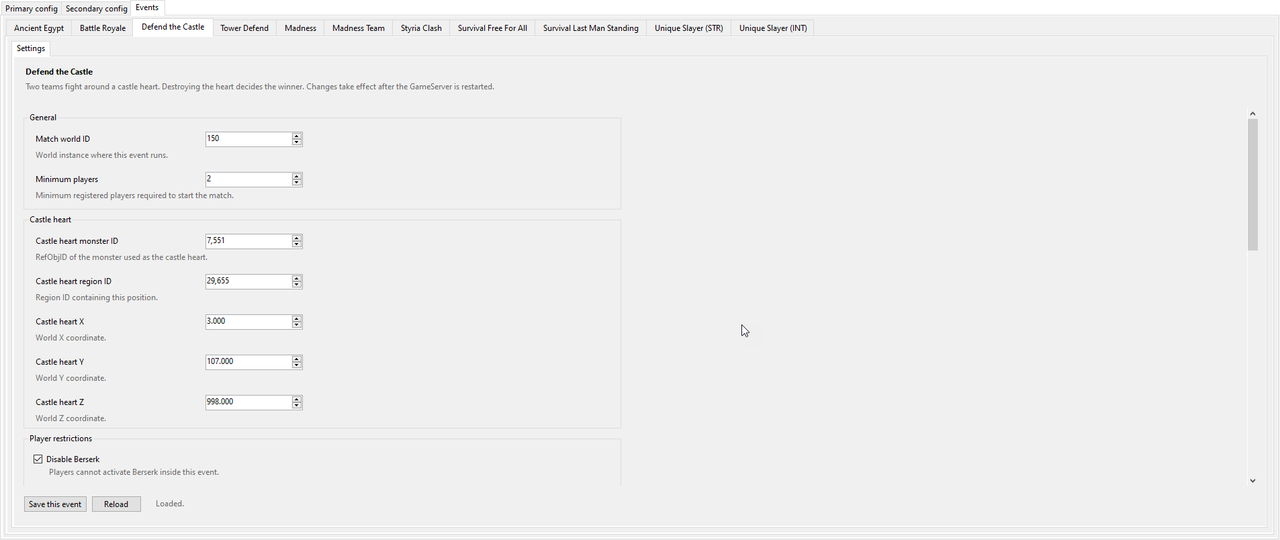
- Defend the Castle: A larger defense activity where participating players protect the configured castle objective against the event attack.
- Survival — Last Man Standing: An elimination-based survival battle where the last remaining eligible player becomes the winner.
- Survival — Free for All: Every participant fights independently under the configured survival rules until the event result is decided.
- Madness Solo: Places registered players into the Madness competition as individual participants with no team dependency.
- Madness — 4 Teams: Divides accepted participants into four teams and runs the Madness competition using team results.
- Unique Slayer — STR: A unique-hunting competition prepared for Strength-based participants, with separate registration and results.
- Unique Slayer — INT: A separate unique-hunting competition prepared for Intelligence-based participants.
- Styria Clash: Runs the configured Styria competitive battle with its own registration, location, match and reward settings.
- Battle Royale: Moves accepted players into a controlled elimination match and manages preparation, combat, elimination and safe exit handling.
- Auto Caravan: Runs the configured caravan route automatically without requiring a clientless character or external bot to control it.
Event Configuration and Control
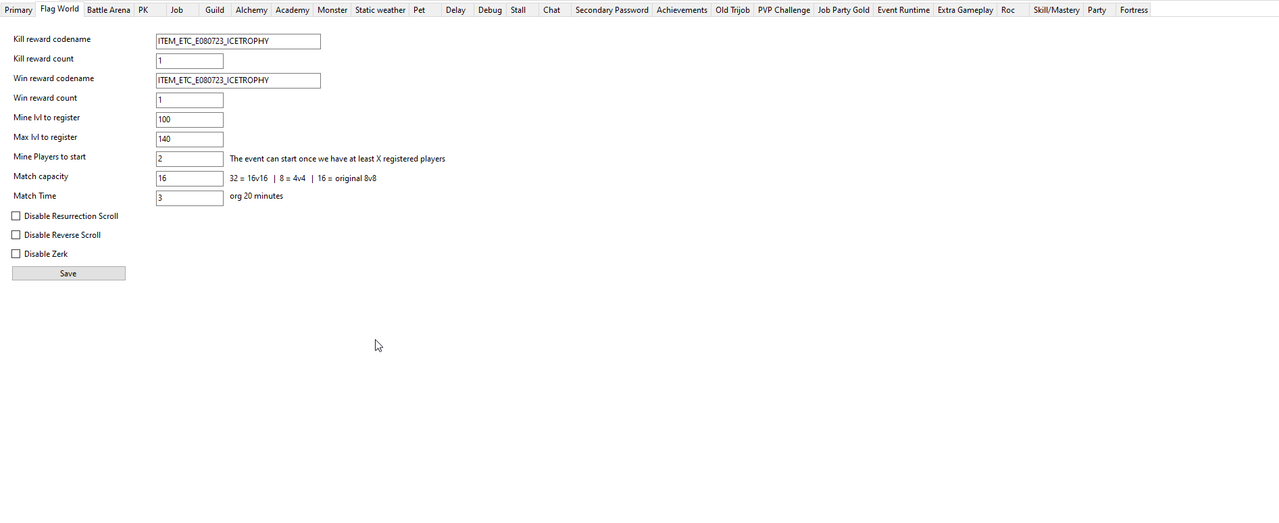
- Capture the Flag: Controls registration, teams, match flow, rewards and the configured schedule.
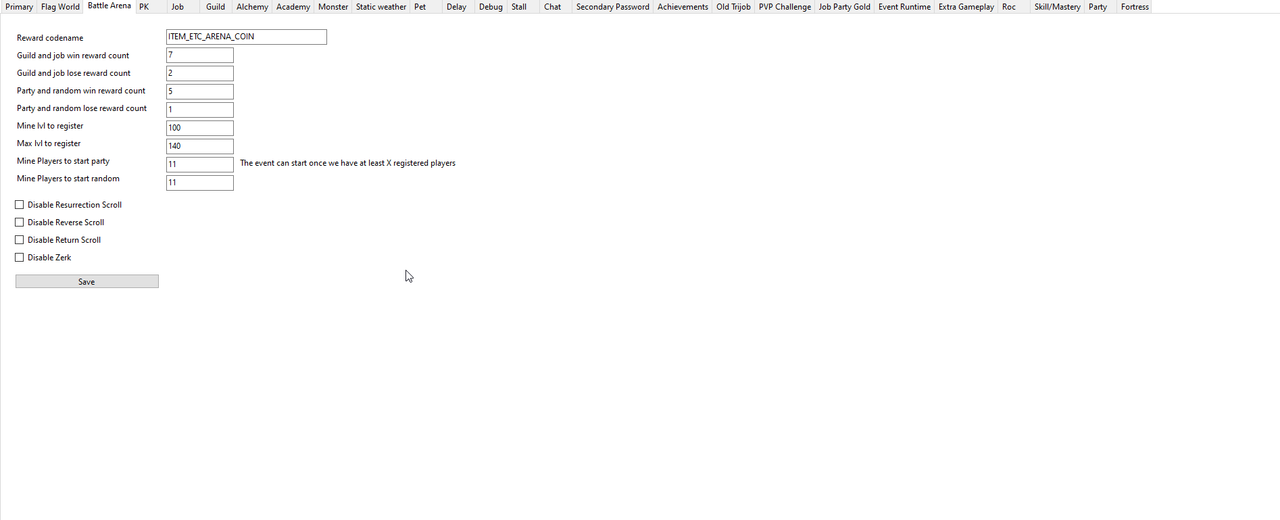
- Battle Arena: Supports the configured arena schedule, entry rules, match behavior and rewards.
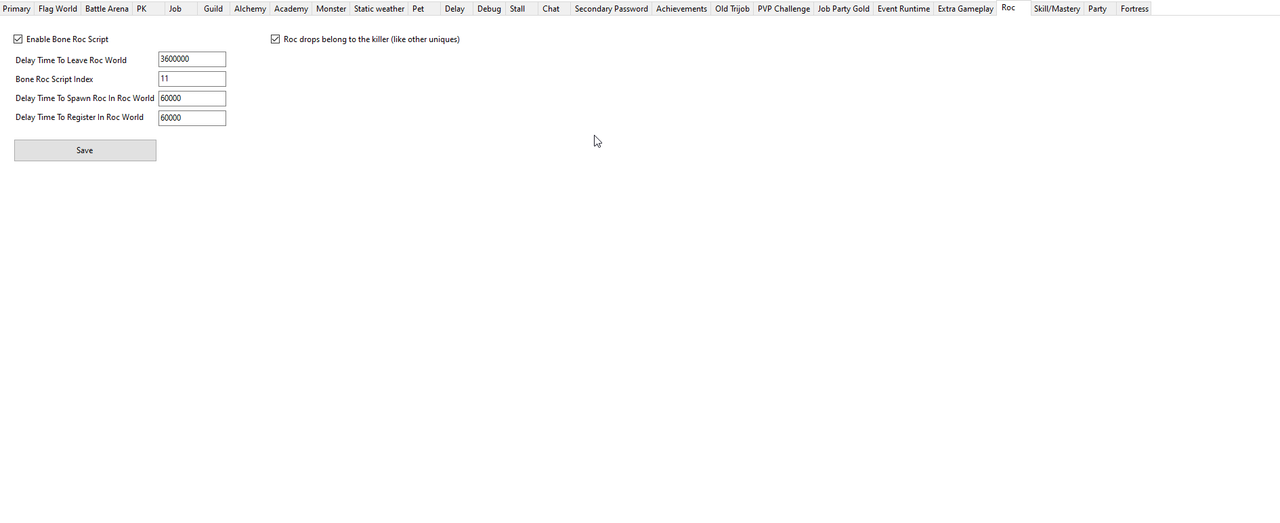
- Roc Event: Manages the supported Roc activity schedule and player participation flow.
- Roc drop ownership: Can change Roc rewards from free-for-all pickup to killer-only pickup.
- Bone Roc script: Includes the supported automated Bone Roc event flow and controls.
- Battle Royale: Provides controlled entry, match preparation, temporary event rules, elimination and return handling.
- Custom registration: Lets eligible players register through the supported event interface before entry closes.
- Participation rules: Validates character level, equipment, party, job and other configured requirements.
- World and region setup: Assigns each event to its intended world, arena and return location.
- Teleport and return handling: Moves accepted players into the event and safely restores their configured exit position.
- Rewards and notices: Announces event stages and grants the configured prizes to eligible participants or winners.
- Automatic schedules: Starts supported events using the configured database schedule instead of manual activation.
- Temporary scheduled mobs: Spawns configured special monsters for a limited period through the server schedule.
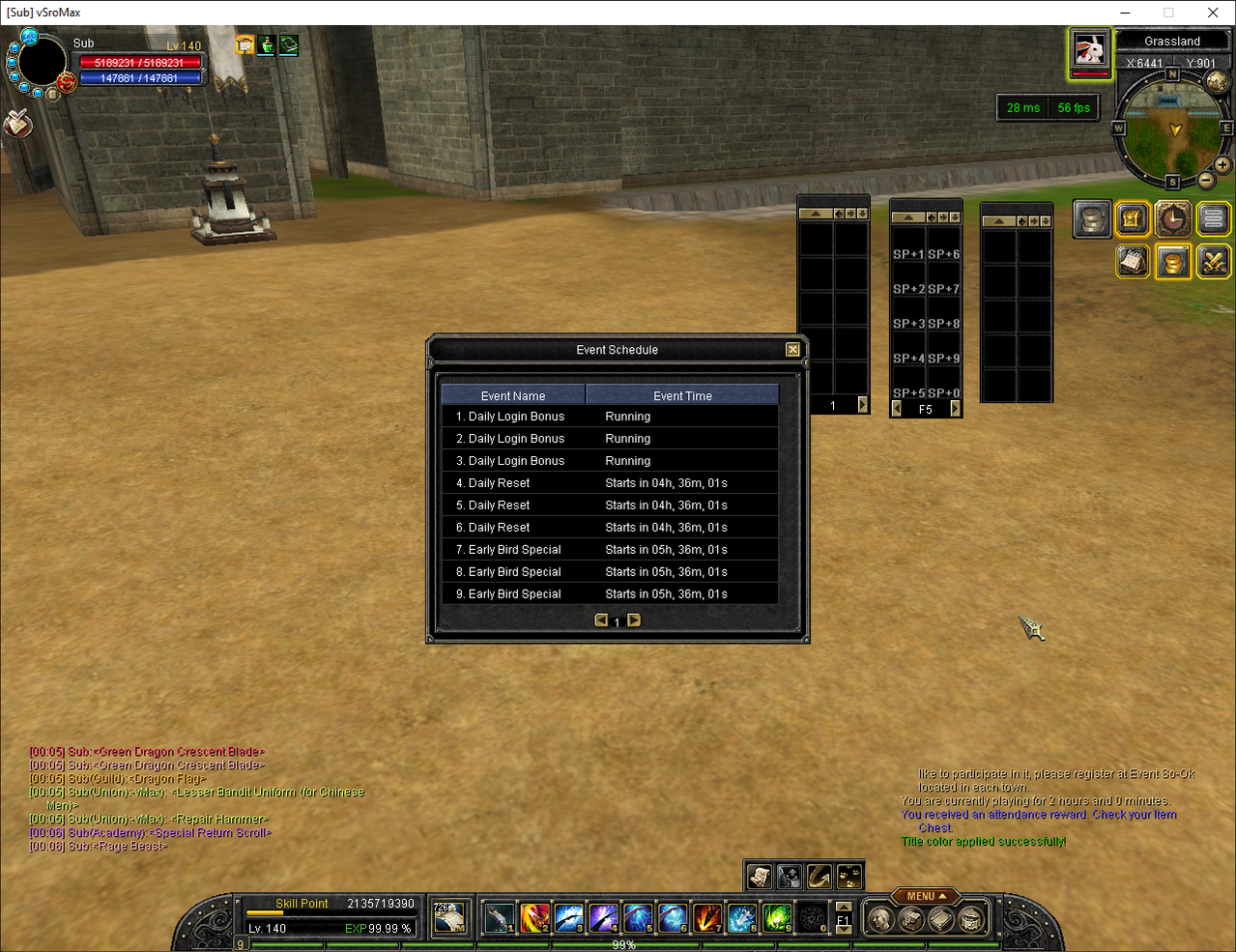
- Client event schedule: Shows upcoming configured activities to players inside the game client.
- Event registration window: Gives players a supported in-game place to review and register for available activities.
- CTF fixes: Corrects supported flag pickup-key and resurrection-timer behavior in Capture the Flag.
Attendance Rewards and Battle Pass
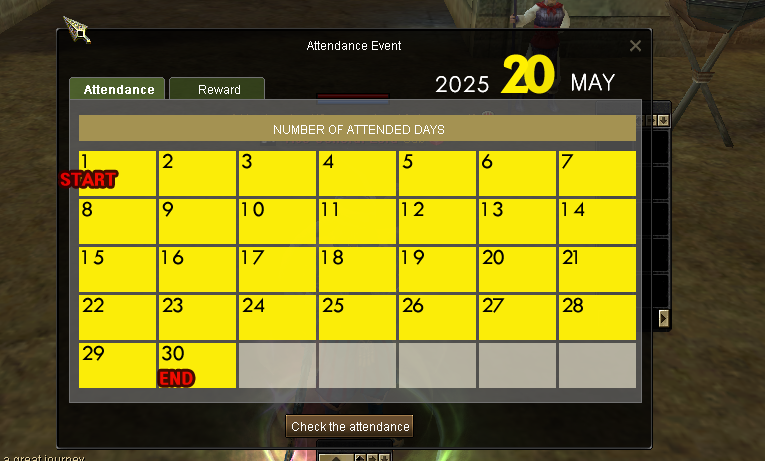
- Attendance calendar: Shows the current month and marks every successfully attended day for the character.
- Daily check-in protection: Accepts only one successful attendance entry per character for the current day.
- Reward milestones: Unlocks configured item rewards when the character reaches the required attended-day count.
- Reward control: Lets administrators choose the reward item, quantity and required number of days.
- Claim protection: Tracks eligibility and prevents the same attendance reward from being claimed repeatedly.
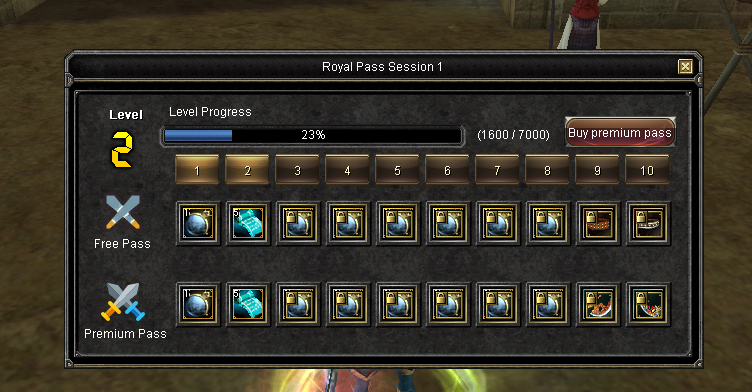
- Battle Pass tracks: Provides normal and premium progression with separate configurable rewards.
- Levels and EXP: Defines the experience required for every Battle Pass level.
- Character progress: Stores each character's level, EXP, premium state and claimed rewards.
Unique Spawns and Damage Meter
- Custom unique spawns: Defines which unique appears and selects its target world and region.
- Spawn timing: Controls when configured uniques can appear and how their spawn cycle operates.
- Live unique switching: Enables or disables supported unique entries without rebuilding the configuration.
- Duplicate prevention: Stops the same configured spawn from being created repeatedly while it is already active.
- Unique notices: Announces supported spawn and kill information using configurable messages.
- Unique history: Records relevant unique kills so players and administrators can review previous results.
- Unique position from history: Lets players view the supported location of an active unique from the history interface.
- Unique target interface: Provides the supported dedicated unique-target display during encounters.
- Unique drop preview: Lets players inspect the configured items that a supported unique monster can drop.
- Unique kill logger: Keeps a dedicated record of supported unique kills for later review.
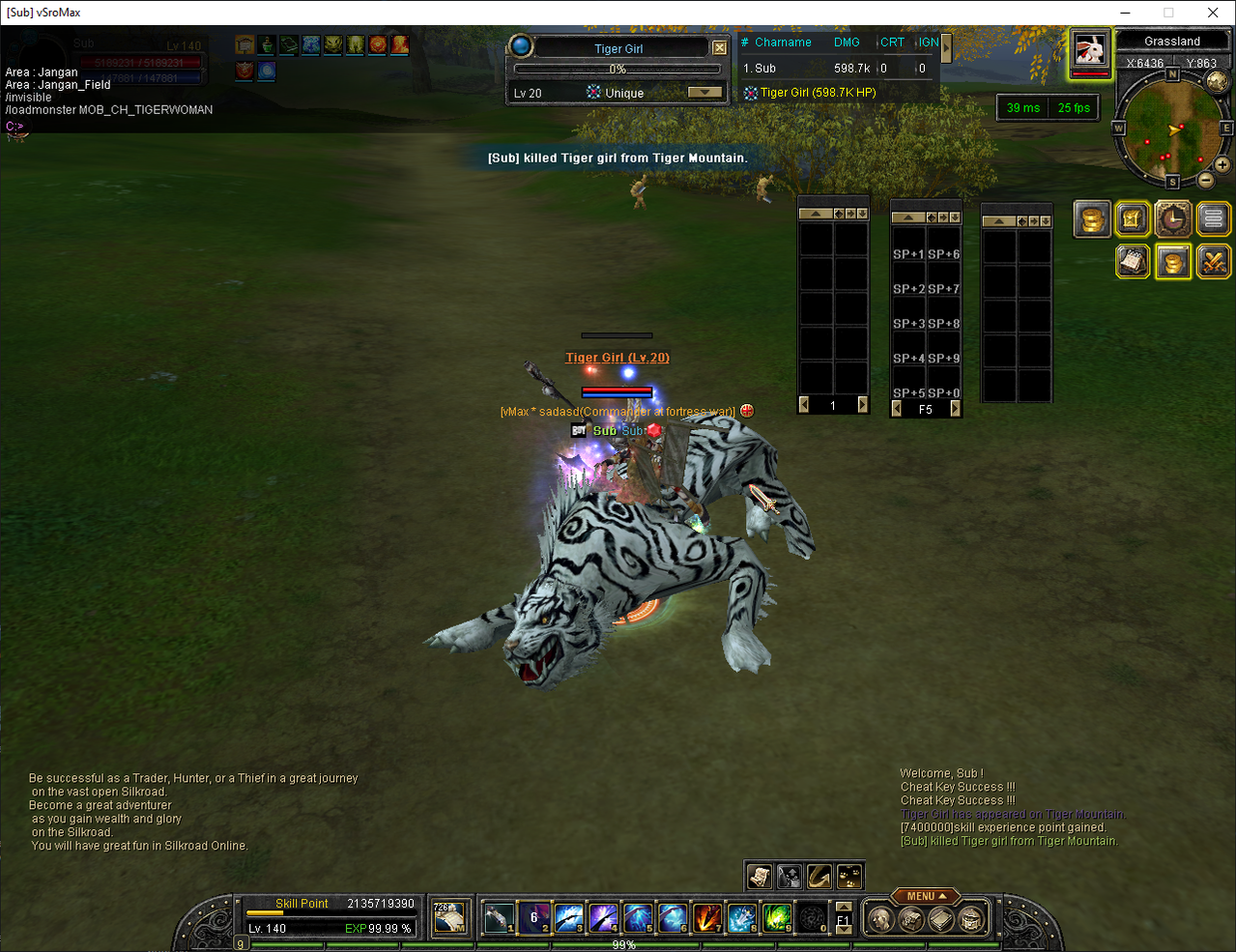
- Live Damage Meter: Displays player or party damage while the configured unique is alive.
- Detailed live statistics: Can include supported critical-hit and ignore-defense counts with the live damage result.
- Final damage results: Stores and displays the completed ranking after the unique dies.
- Party records: Connects supported unique damage and kill information with participating party members.
Rare Drop Notice
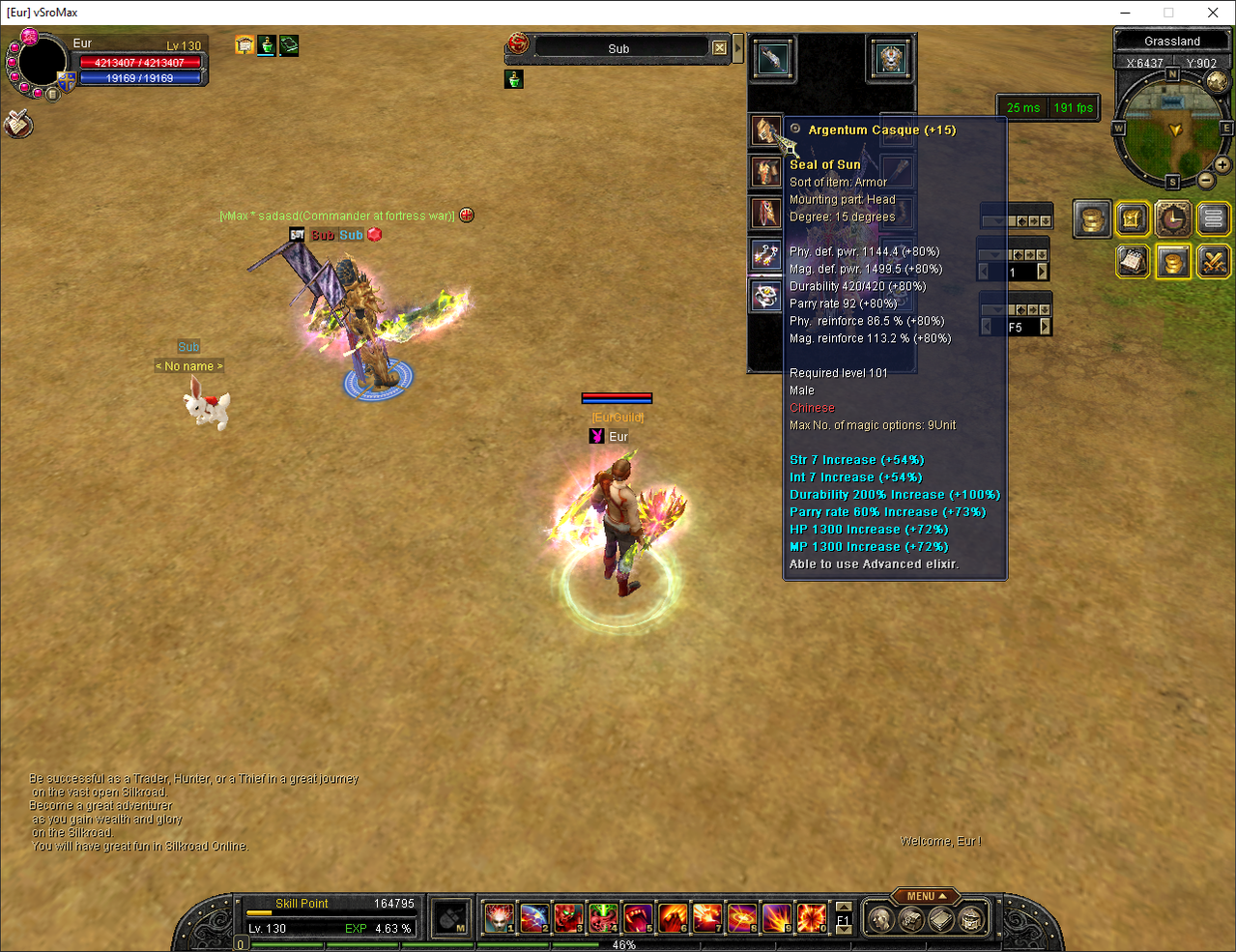
When a monster drops a rare item, the whole server finds out. The notice is sent the moment the drop is decided, so the announcement and the item arrive together.
What the Announcement Shows
- Who made the drop: The name of the player whose kill produced the item.
- Which seal: Star, Moon or Sun, read from the item's own data so the notice always agrees with the item tooltip.
- Which item: The item name together with its enhancement level.
- Which monster: The monster the item dropped from.
What You Control
- Seal selection: Star, Moon and Sun are three separate switches, so you decide which seals are worth an announcement.
- Minimum degree: Low-degree rares can be kept quiet, so the notice stays meaningful on a high-rate server.
- Unique monsters only: The notice can be limited to drops from unique monsters instead of every monster in the world.
- Your own wording: The message is a normal text entry, so you can reword or translate it.
- Every player's own language: Item and monster names are resolved on each client, so everyone reads the notice in their own language.
- Whole shard, no added cost: The announcement reaches every player, including setups running several game servers, and comes from the drop decision the server already makes.
.png)
Chat, Stall and Economy Systems
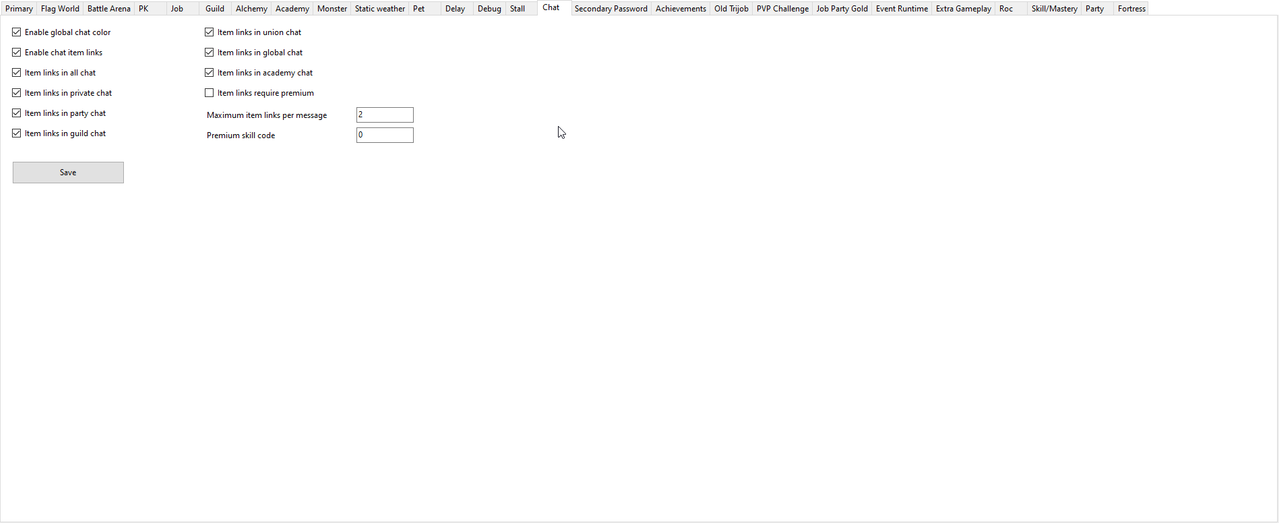
- Chat configuration: Controls supported chat channels, requirements and server-side message behavior.
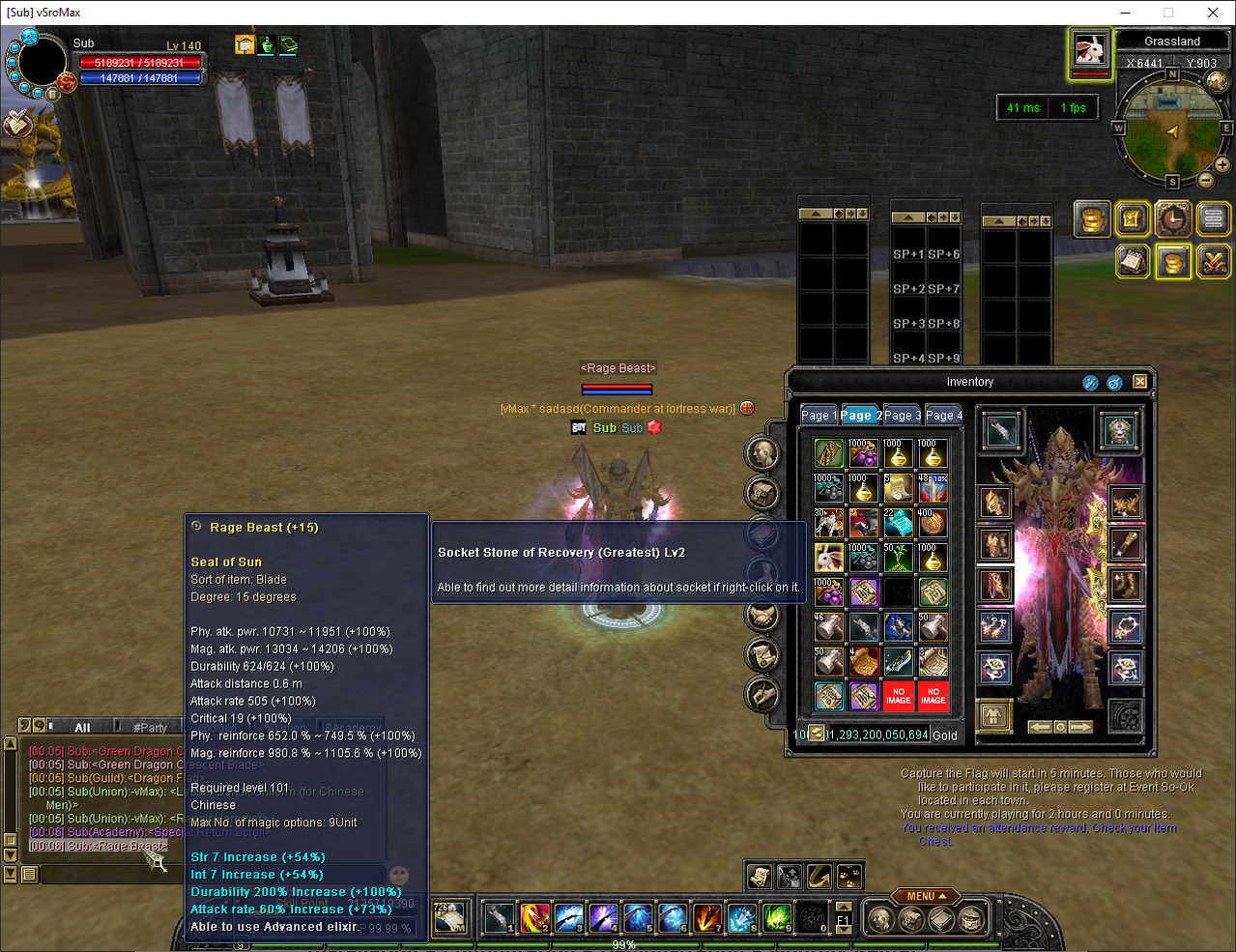
- Chat item links: Lets players share clickable equipment and item details directly in chat.
- Chat timestamps: Displays the time beside supported chat messages for easier conversation tracking.
- Chat emojis: Adds supported emoji use to player conversations.
- Global chat colors: Assigns configured colors to supported global-message items.
- Protected global colors: Keeps configured global-message colors while applying anti-flood protection.
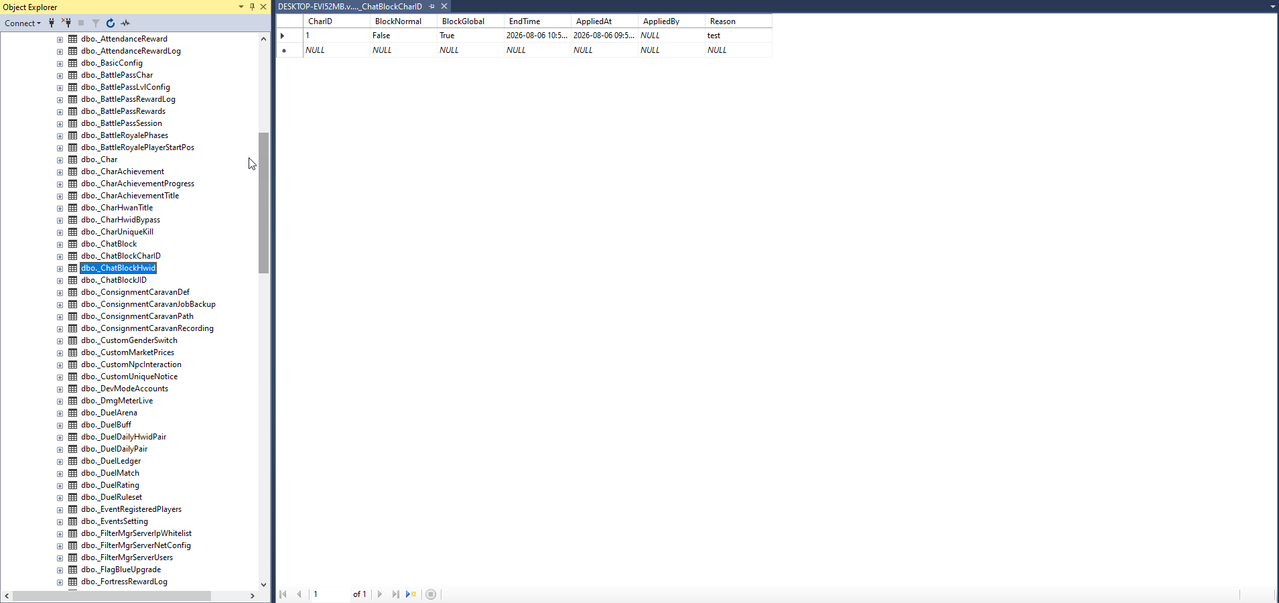
- Mute and blocking: Allows supported player mutes and personal blocking while preserving administrative control.
- Chat flood protection: Limits repeated messages and abusive chat request rates.
- Custom notices: Publishes configured server, event and gameplay announcements.
- Stall controls: Defines where stalls may open and which supported rules apply to stall usage.
- Offline Stall: Allows supported stalls to remain available without keeping the player actively connected.
- Classic stall network: Restores the supported old stall-network experience and can work with Silk-priced stalls.
- Silk while stalling: Supports configured hourly Silk rewards while an eligible stall is open.
- Market prices: Configures supported custom items, currencies and sale values.
- Market appearance: Supports configured market colors and titles for a clearer custom marketplace.
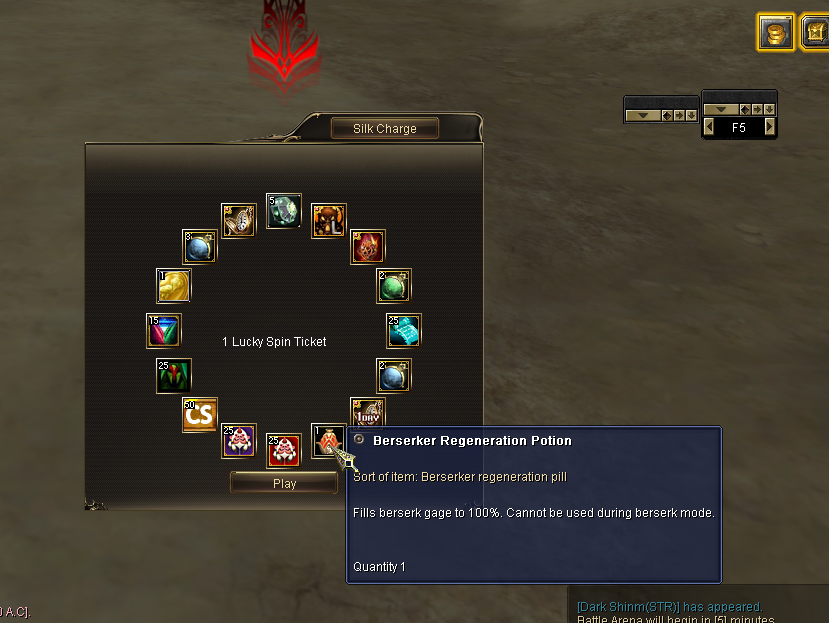
- Lucky Spin: Provides a configurable reward pool for the supported spin interface.
- Lucky Spin tickets: Allows the spin system to use configured tickets as its participation currency.
- Item exchange interfaces: Includes supported exchange windows and race-exchanger behavior for configured rewards.
- Old Item Mall: Restores the supported classic Item Mall flow for servers that prefer it.
- Price formatting: Adds readable separators and supported colors to displayed prices.
- Goods captcha: Adds a supported verification step to reduce automated abuse of protected goods actions.
Account Security and Player Features
- Secondary Password: Adds an additional character security check before protected actions become available.
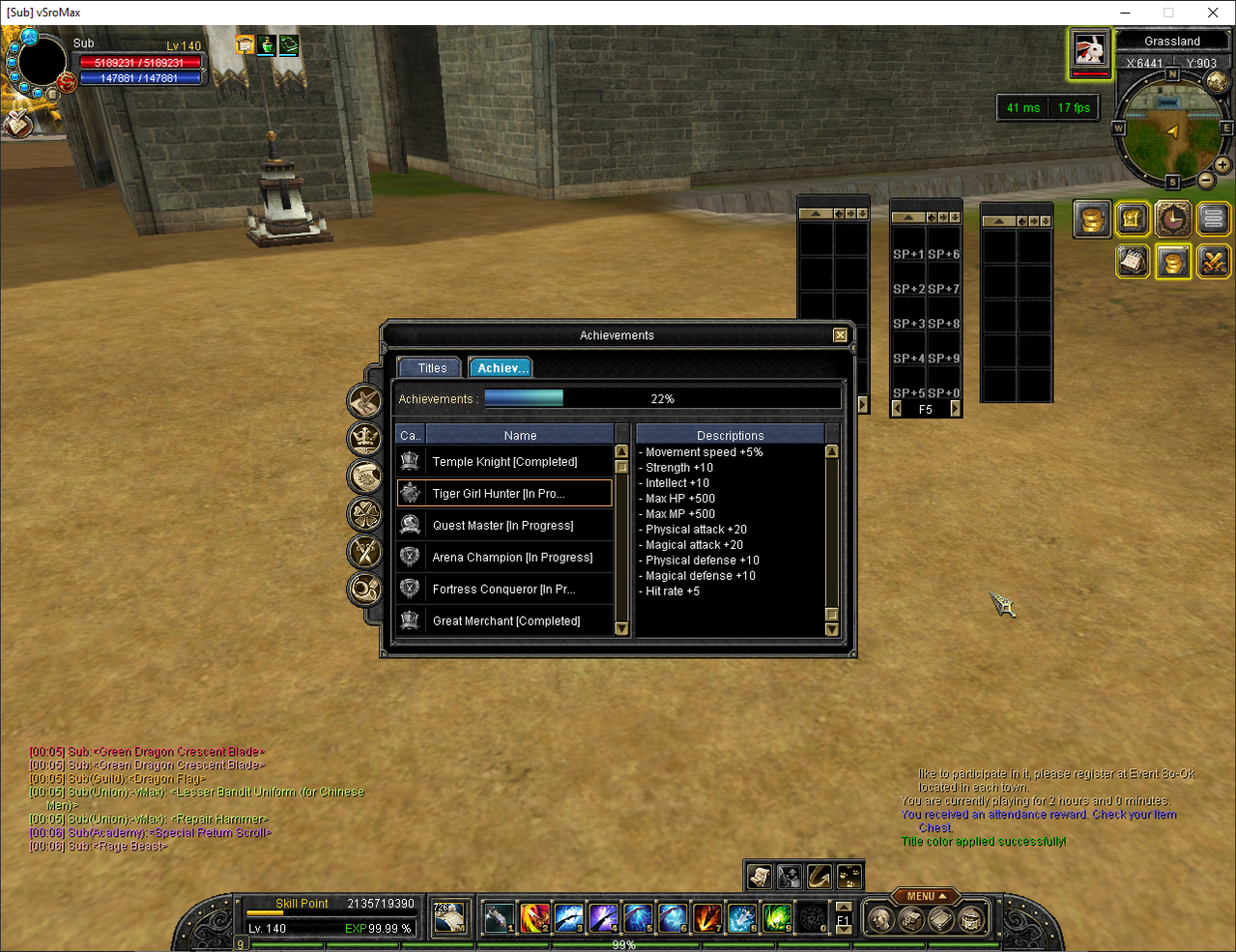
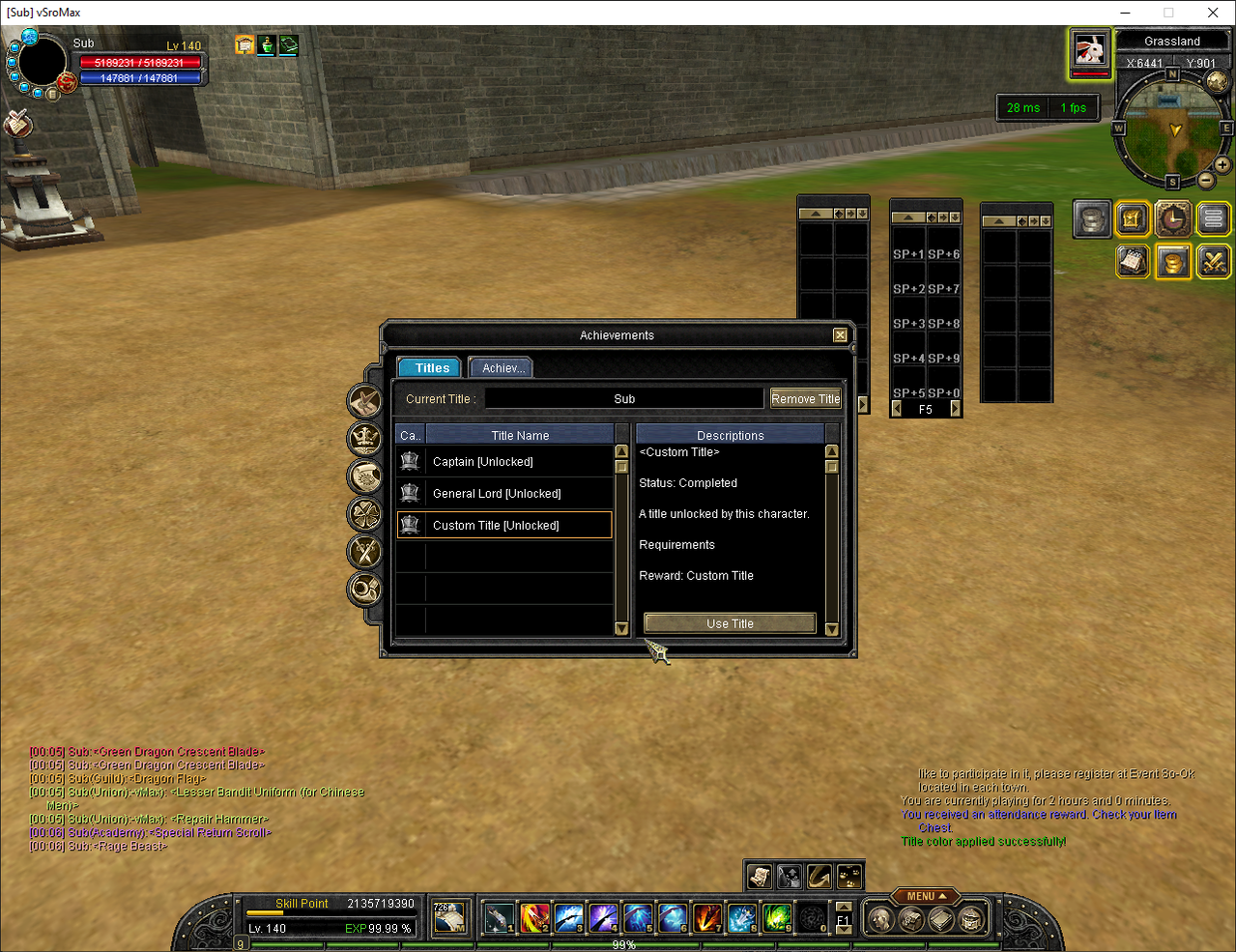
- Achievement System: Tracks configured accomplishments and grants the associated rewards or titles.
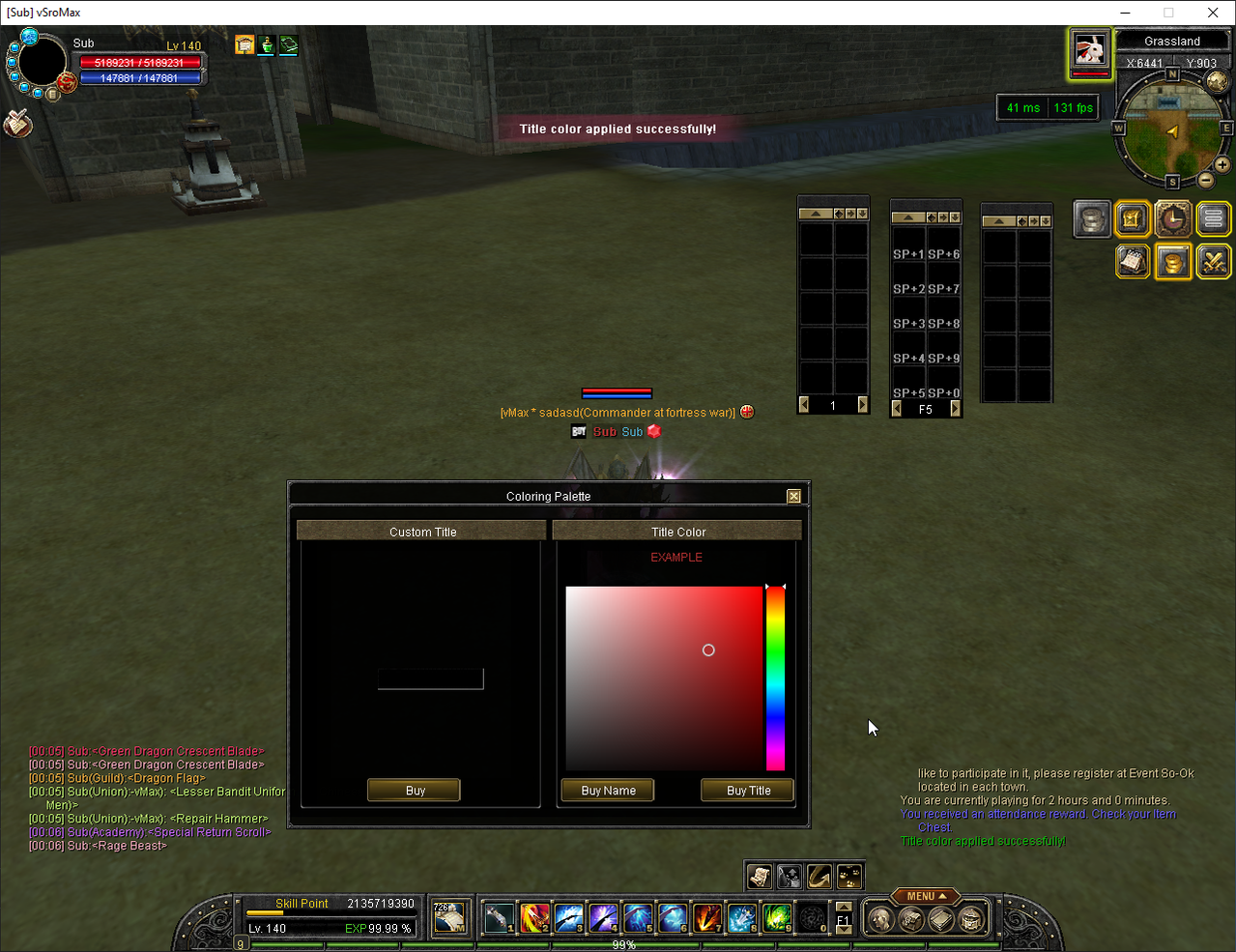
- Title Manager: Lets players view and select the custom titles available to their character.
- Character and party information: Presents useful supported details through convenient in-game interfaces.
- Event schedule: Gives players an in-game view of upcoming configured activities.
- Damage and unique information: Shows live contribution and completed unique encounter results.
- Feature toggles and patches: Lets administrators activate only the supported client improvements needed by their server.
Player Interface, Inventory and Automation
- Four-page inventory: Expands the supported character inventory capacity to four pages with matching server and client handling.
- Extended pet inventory safety: Supports large pet inventories, including fully filled multi-page pets, while preventing the known full-item crash path.
- Move pet items to player: Transfers supported pet-inventory items to the character inventory through the provided control.
- Grab Pet sorting: Adds supported sorting and ordering controls for Grab Pet inventory.
- Inventory reordering: Lets players organize supported inventory contents more conveniently.
- Best-slot placement: Selects a suitable available slot for supported Inventory, Storage, Guild Storage and Stall operations.
- Target equipment view: Lets players inspect supported equipment worn by the selected character.
- Item comparison: Compares supported equipment details to help players evaluate upgrades.
- Character-bound and account-bound items: Supports configured ownership restrictions for protected items.
- Second skill bar: Adds another supported action bar for faster access to skills and items.
- Missing party icons: Restores supported party interface icons absent from the original client.
- Monster HP percentage: Displays the supported target monster's remaining health as a percentage.
- Auto upgrade skills: Automatically upgrades eligible learned skills under the configured rules.
- Auto Mastery: Supports automatic mastery progression according to the server's configured limits.
- Auto STR or INT: Applies earned stat points automatically according to the player's selected build.
- Auto Vigor: Uses supported HP or MP vigor recovery under the configured conditions.
- In-game Macro: Provides supported in-client automation controls, including macro party behavior.
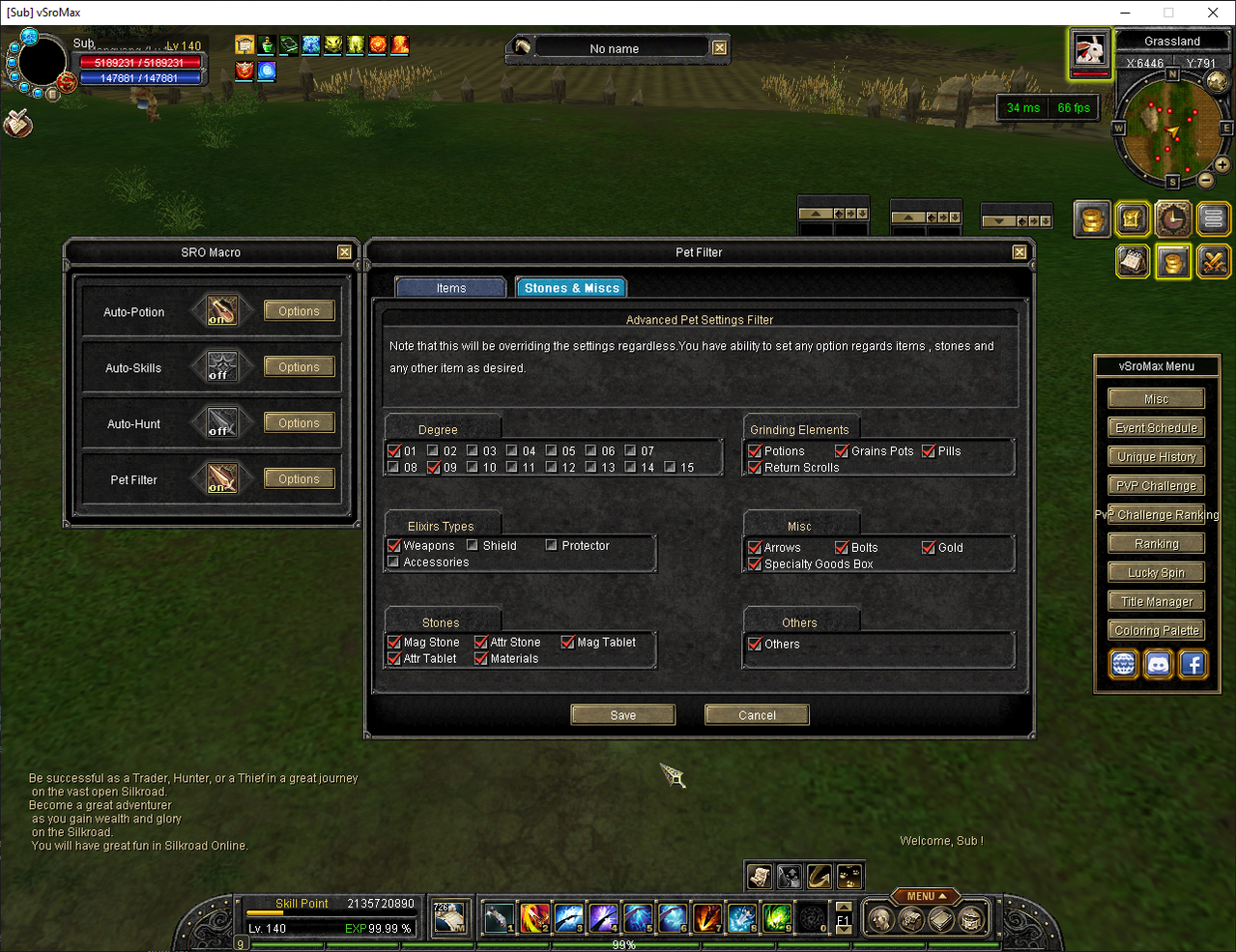
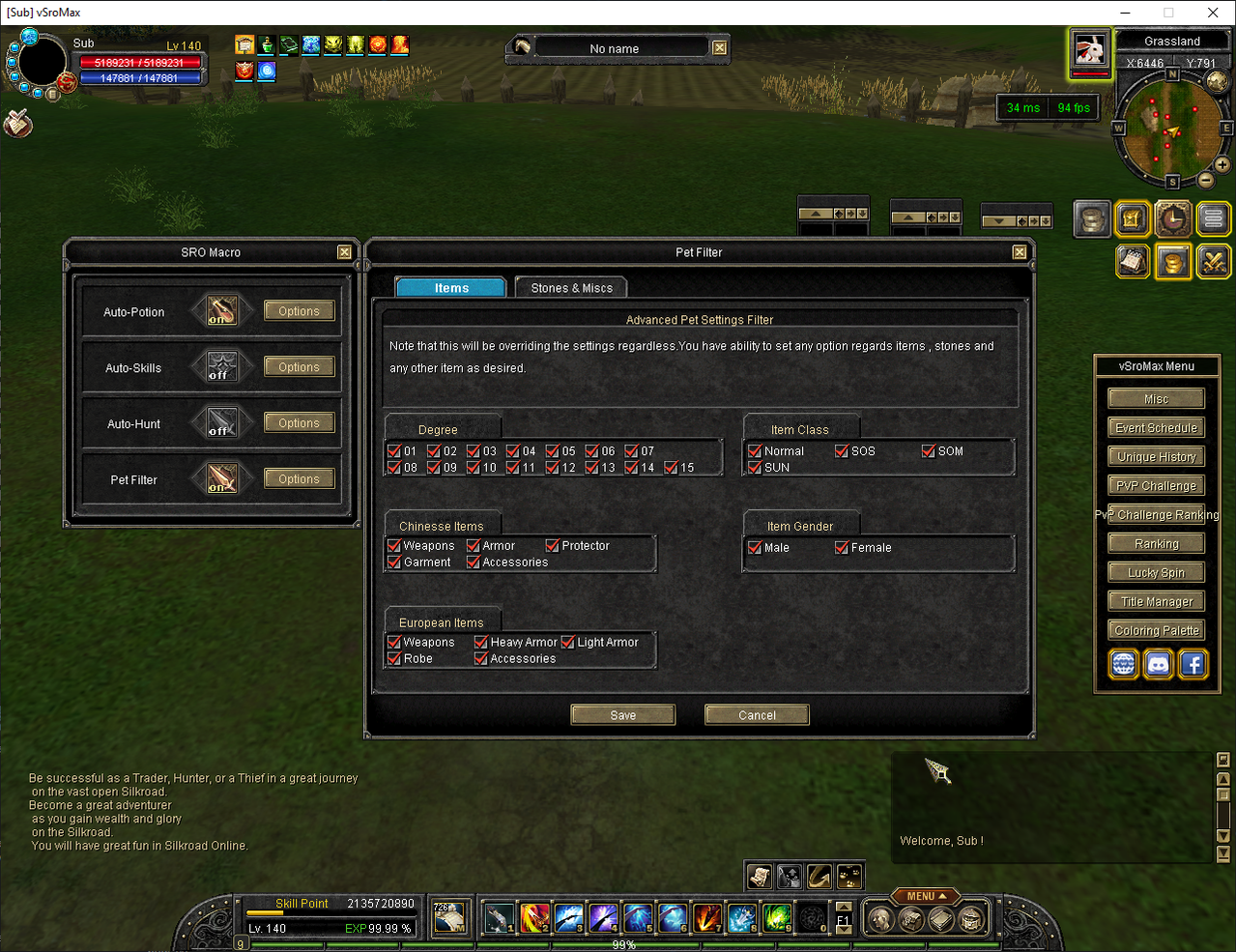
- Pet picking filter: Lets players control which supported drops their Grab Pet should collect.
- Auto Magic Pop: Automates supported Magic Pop attempts through the provided interface.
- Custom fireworks: Adds configured visual fireworks for supported player or server actions.
- Custom Action buttons: Allows supported Action-page buttons to run configured character features.
- Rare-item presentation: Adds supported colored messages and pickup effects for rare items collected by a player or Grab Pet.
- Character customization: Supports configured character-name colors, title colors and custom icons.
- Login and level presentation: Includes the supported alternative login screen and server maximum-level icon.
- Web rankings: Provides supported ranking data for use by the server's website.
Custom Login Screens
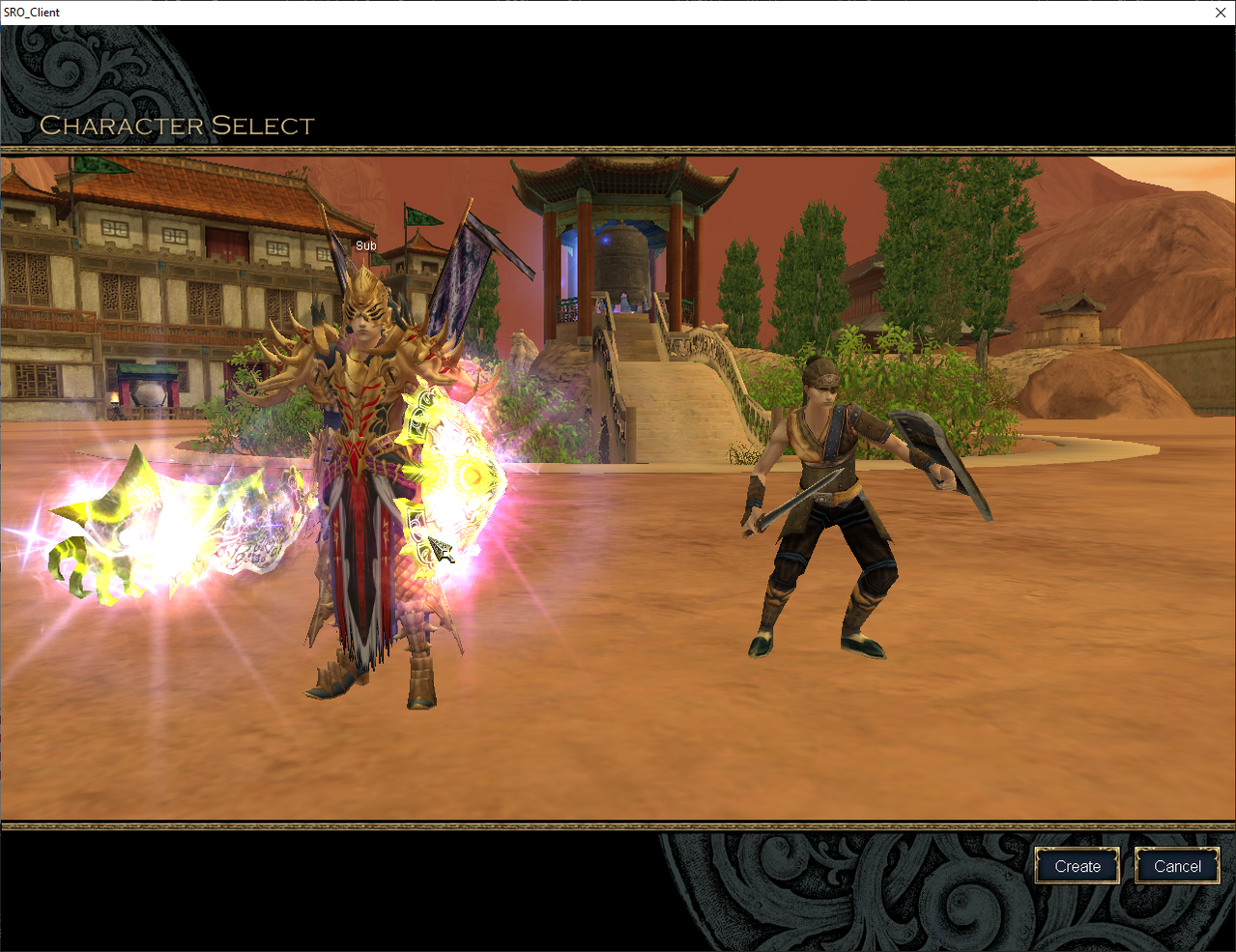
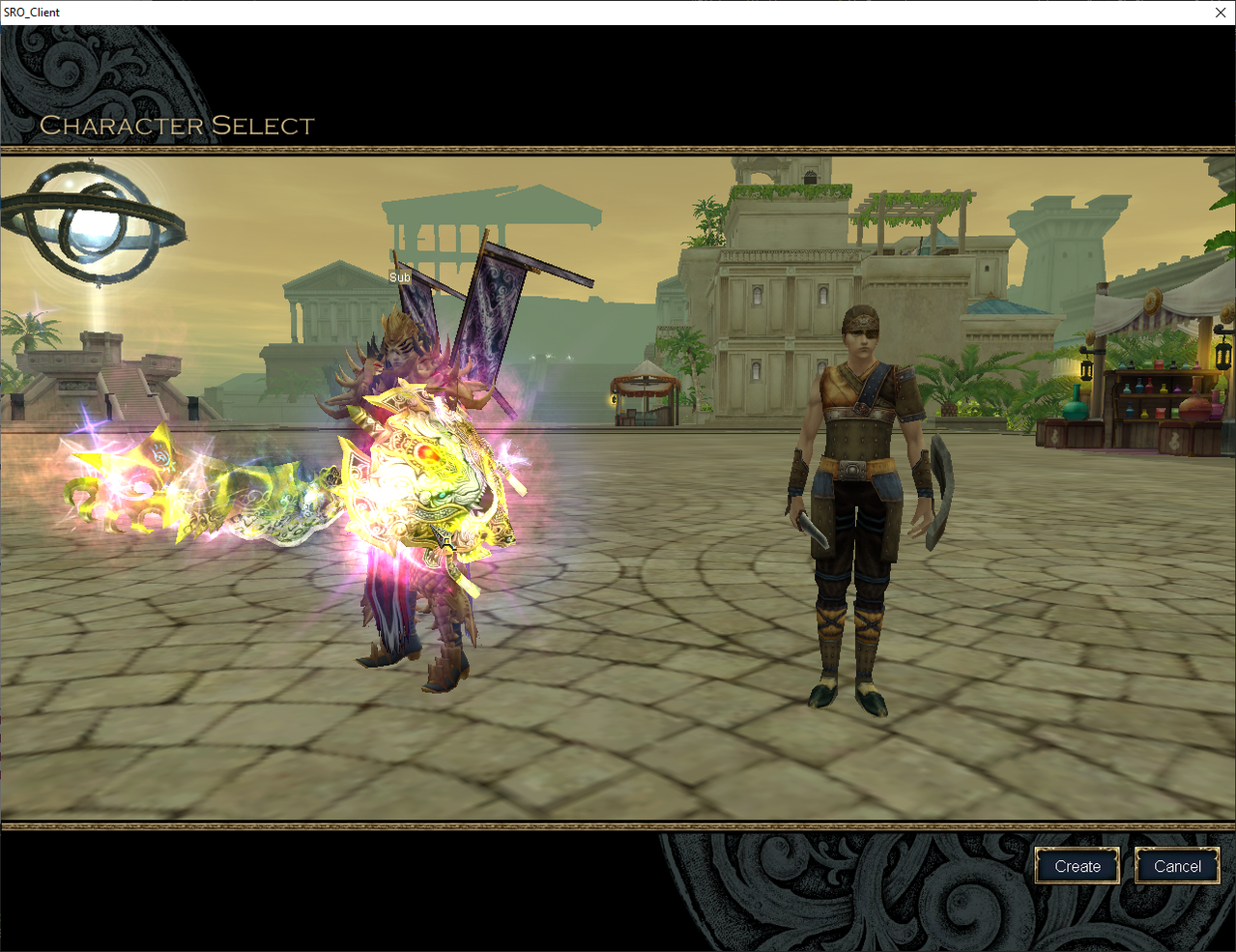
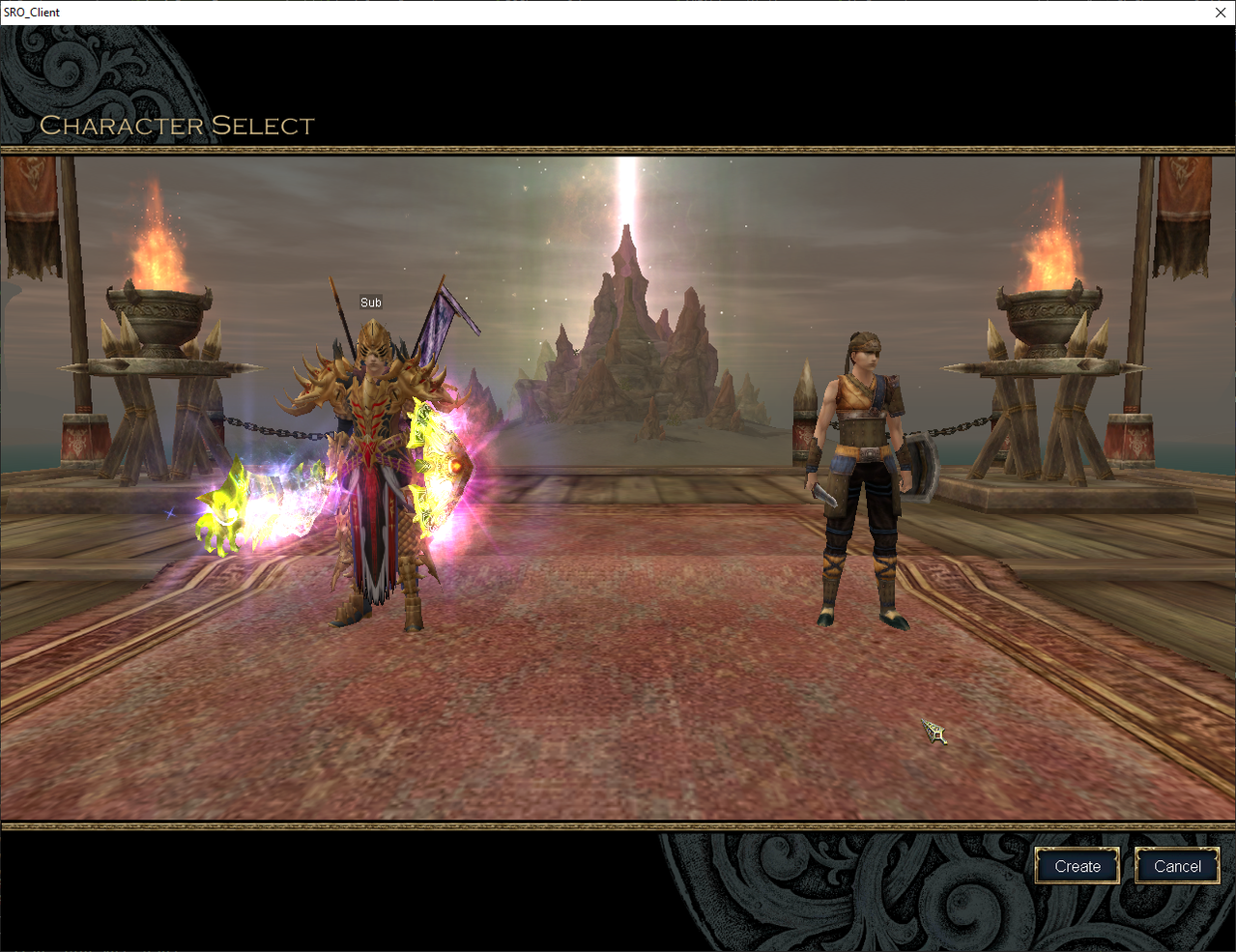
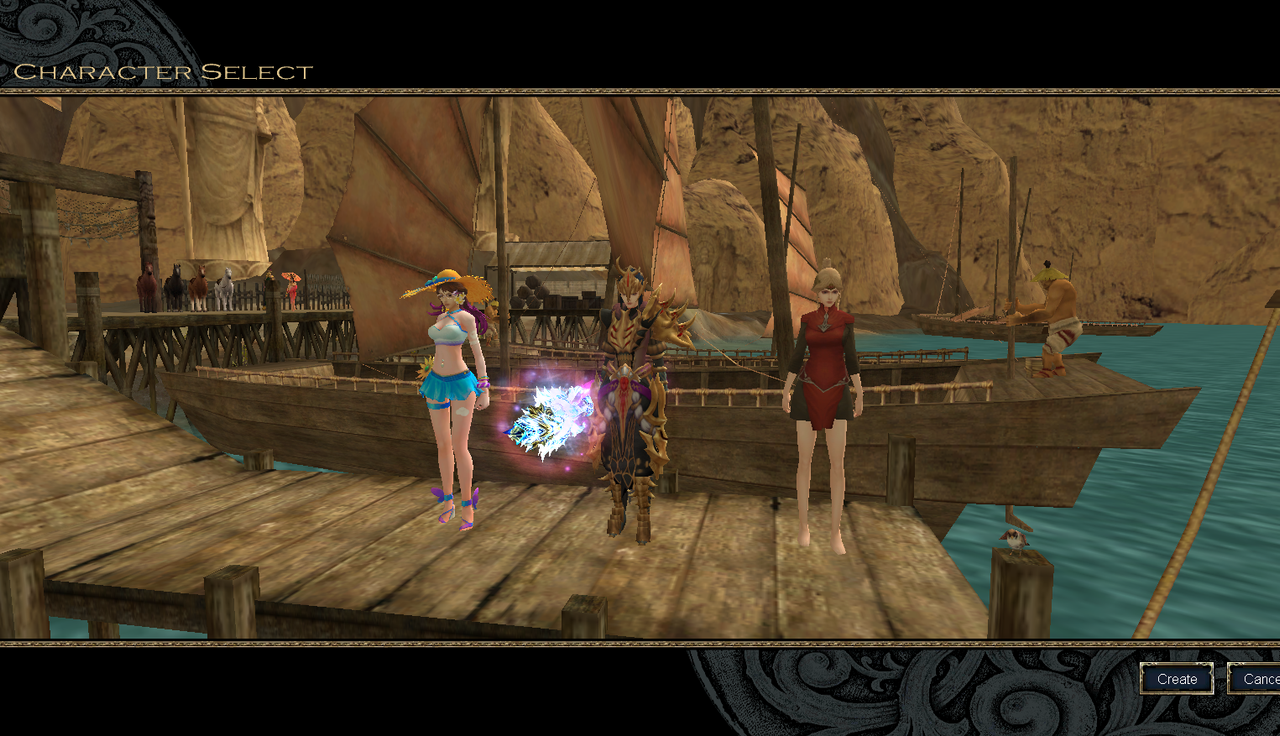
The character-select screen is the first thing every player sees, and on most vSRO servers it is the one everybody else uses. vSroMax ships three additional login screens alongside the classic one, so your server looks like yours before the player logs in.
The Screens
- Classic: The original character-select screen, kept as the default.
- DW: A different location with its own camera work and character placement.
- Alexandria: An Alexandria setting for the character-select scene.
- Baghdad: A Baghdad setting for the character-select scene.
What Makes Them Complete
- A full scene, not a background swap: Each screen brings its own map location, opening camera move, character positions and Create Character view.
- Correct in every step: Race idols, selection box and camera distance are placed for that screen, so nothing floats, clips or sinks under the terrain.
- Chosen from the manager: Pick a screen and every player gets it. No client patching, no file editing, nothing for players to download.
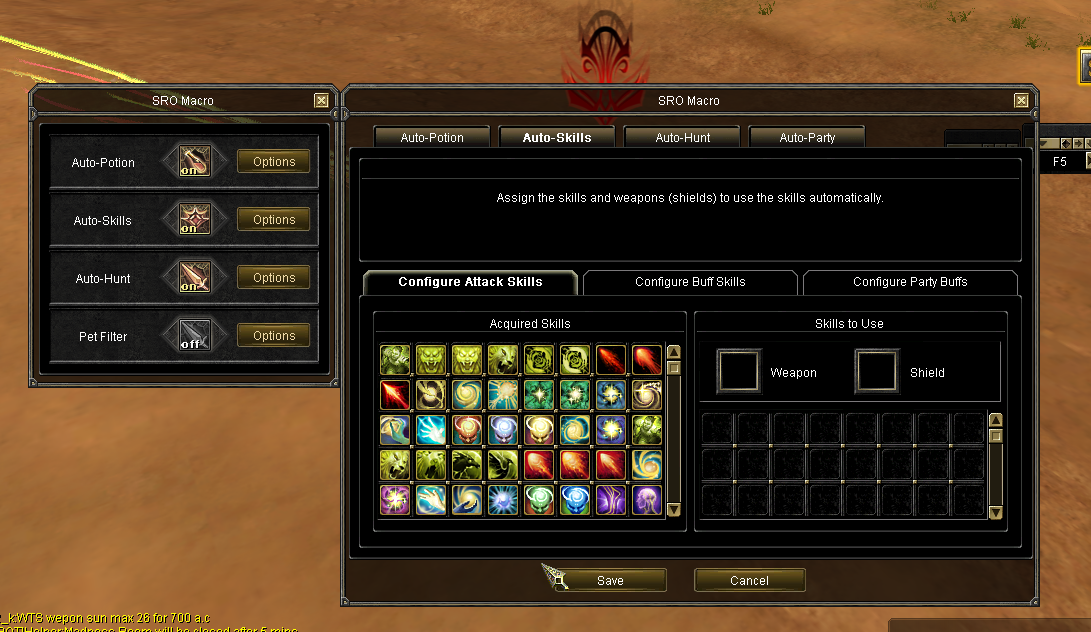
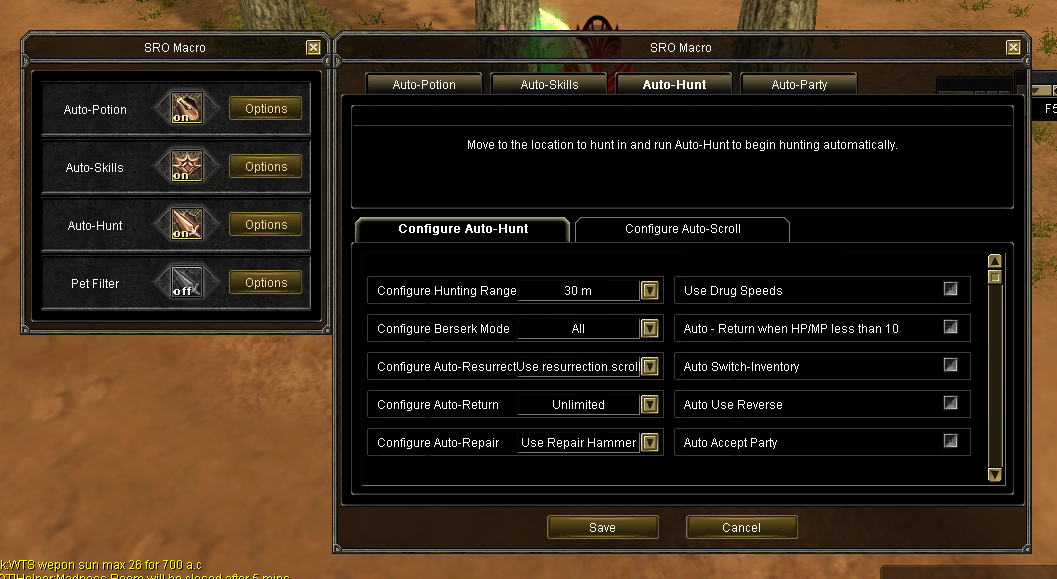
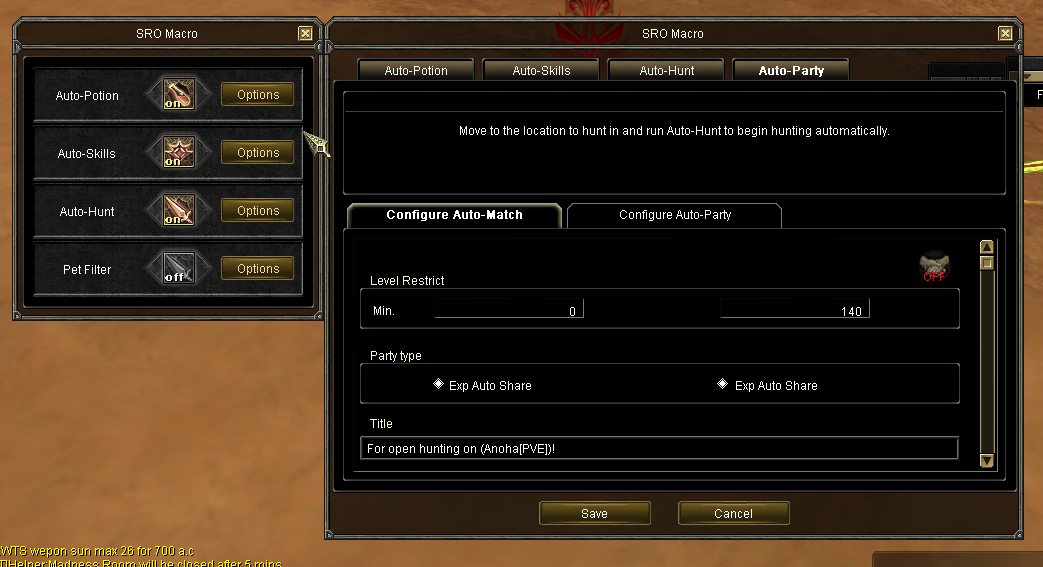
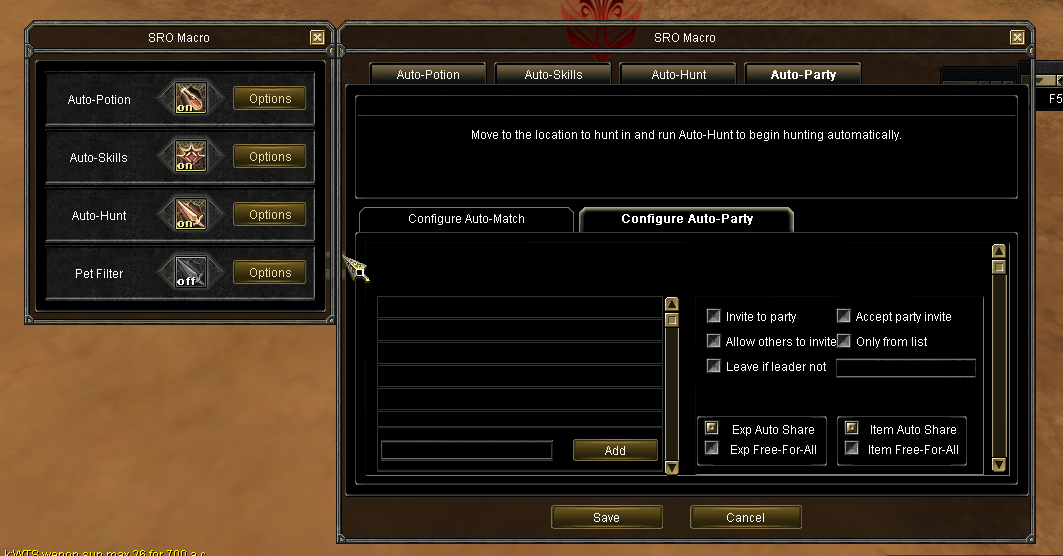
Built-in Macro Bot
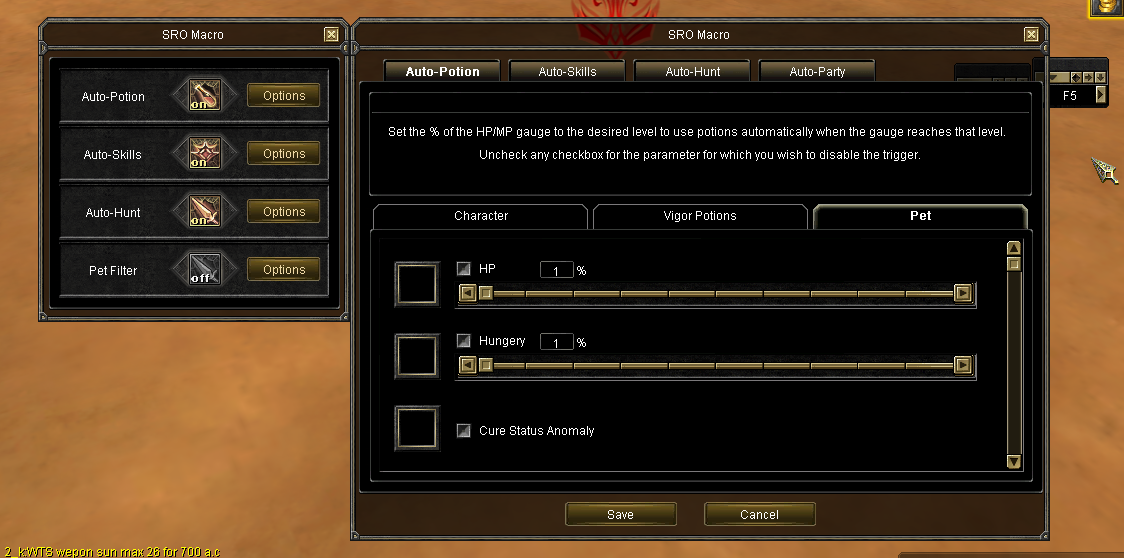
The built-in Macro Bot gives players one convenient in-game interface for the supported automatic actions. Each function can be configured separately according to the player's needs.
- Character Auto Potion: Automatically uses the configured HP and MP recovery items for the character.
- Pet Auto Potion: Automatically uses the configured recovery items to protect the active pet.
- Auto Hunt: Automates the supported hunting routine using the player's configured combat settings.
- Auto Party: Automates supported party handling while the Macro Bot is active.
- Auto Alchemy: Performs repeated supported alchemy attempts according to the configured enhancement settings and stopping conditions.
Fixes and Stability Improvements
- Packet safety: Handles invalid and unexpected requests without forwarding unsafe traffic to the protected services.
- Duplicate-action protection: Prevents repeated attendance, reward and spawn operations from producing duplicated results.
- Cross-server synchronization: Keeps supported player and event state consistent in multi-GameServer environments.
- Persistent event returns: Preserves supported return-position information across event transitions and disconnect scenarios.
- Duel recovery: Completes or restores supported pending duel results when normal delivery is interrupted.
- Controlled database work: Moves supported live operations through bounded processing to reduce gameplay interruption.
- Rate protection: Limits repeated connection, packet and client-action requests before they become a stability problem.
- Configuration validation: Handles supported invalid records more safely and makes deployment problems easier to identify.
- Consistent restrictions: Applies configured world and region rules through the authoritative server path.
- Cleanup improvements: Removes supported stale player, event and temporary state after exits, disconnects or completed activities.
- Green Book correction: Fixes the supported Green Book behavior used by the original vSRO files.
- Trade correction: Addresses the supported vSRO 1.188 trade behavior that can interrupt normal trading.
- Devil enhancement crash fix: Prevents the known supported client crash while enhancing Devil Spirit equipment.
- Snow Shield and Bless Spell correction: Prevents supported teleport behavior from bypassing the intended reuse rules.
- Pet speed correction: Fixes the supported interaction between pet movement speed and dagger skills.
- PvP corrections: Addresses supported original-client combat behavior that can produce incorrect PvP results.
- Original stat-reset correction: Restores the supported stat-reset behavior expected from the original files.
- Performance improvements: Reduces supported unnecessary GameServer work in frequently used gameplay paths.
Production Crash Diagnostics and Custom Dumps
Production problems can be difficult to reproduce. vSroMax includes custom crash diagnostics that preserve useful technical evidence when a protected server process encounters a serious fault.
- Automatic crash dumps: Creates a diagnostic .dmp file when a supported serious exception is detected, giving the support team evidence from the moment of failure.
- Fault location: Records which loaded component and location were active when the problem occurred, helping separate an original server fault from a vSroMax or third-party problem.
- Exception details: Logs the exception type, failed operation and relevant processor state instead of leaving only a generic server-closed report.
- Call-stack capture: Preserves the execution path that led to the fault so the production issue can be investigated more accurately.
- Packet and operation context: Supported protected paths record an identifying request or operation tag, helping connect the crash to the action being processed.
- Character-update diagnostics: Supported update faults can record the affected object, character, world, region and position to make repeated location-specific problems easier to reproduce.
- GameServer and ShardManager coverage: Last-resort diagnostics cover supported top-level and worker-thread crashes in the main gameplay processes.
- Disk-flood protection: Repeating faults are rate-limited so the same production problem cannot continuously create large dump files and fill the server disk.
Where to find the files: Crash dumps are written beside the affected server application with a name beginning with crash_ and ending in .dmp. The related server log contains the matching timestamp and dump filename.
What to send to support: Send the .dmp file, the matching log files, the approximate crash time, the action players were performing and the exact server package version.
Crash dumps may contain process-memory data. Compress them and send them privately through the official support channel. Never upload production dumps publicly or attach them to a public thread.
The diagnostic system does not claim that every crash can be recovered automatically. Its purpose is to replace guesswork with useful production evidence so the cause can be understood and corrected faster.
The exact active behavior depends on using supported vSRO 1.188 files and the matching vSroMax configuration.
Installation Options
Self-Installation
Experienced vSRO administrators can install vSroMax by following the supplied installation and configuration instructions.
Installation by vSroMax
We can install and configure vSroMax for your server, including environment verification, database installation, network configuration, Manager configuration, client configuration and initial testing.
Contact us before renting if your vSRO 1.188 files contain major custom modifications.
Customer Configuration Guides
- Exact Manager pages and settings
- Database configuration records
- Event schedule configuration
- Deployment order
- Reload and restart requirements
- Player usage instructions
- Acceptance testing
- Troubleshooting
- Safe rollback
Complete Video Playlist
- - YouTube
- - YouTube
- - YouTube
- - YouTube
- - YouTube
- - YouTube
- - YouTube
- - YouTube
- - YouTube
- - YouTube
- - YouTube
- - YouTube
- - YouTube
- https://www.youtube.com/watch?v=5PU2_2IhqNk
- https://www.youtube.com/watch?v=mDOSYVXZzcg
- https://www.youtube.com/watch?v=btdyD_DANg4
- https://www.youtube.com/watch?v=lJ2cT0OSVx0
- https://www.youtube.com/watch?v=DNhjBTKgk0g
- https://www.youtube.com/watch?v=HMJVhjJ4mS0&t=114s
- https://www.youtube.com/watch?v=-0LT9HOKdxk
- https://www.youtube.com/watch?v=jHEg0q6-cWE
- https://www.youtube.com/watch?v=nzTUQkrEZwc
- https://www.youtube.com/watch?v=39c41brwRGs
Monthly Rental
Supported version: vSRO 1.188 only
Package: Complete vSroMax Filter package
Self-installation: Available
Installation by us: Available
Configuration guides: Included
Support: Available during the active rental period
The Filter remains available while the monthly rental is active.
Contact us for installation details, compatibility confirmation and current rental conditions.
Frequently Asked Questions
Which server files are supported?
vSroMax Filter is developed for vSRO 1.188 server files only.
Can I install it myself?
Yes. You can follow the supplied installation and configuration instructions.
Can you install it for me?
Yes. We can install and configure it for you.
Is it a one-time purchase?
No. vSroMax Filter is provided as a monthly rental.
What do I receive?
You receive the complete vSroMax Filter package containing the supported systems demonstrated in this topic.
Can I configure the systems myself?
Yes. The included Manager and customer guides explain the supported configuration.
Contact and Support
Join Our Discord Server
Installation • Configuration • Demonstration • Monthly Rental
You can also contact us through a SROWAY private conversation.
Contact us before renting to confirm your vSRO 1.188 environment.
────────────────────────
vSroMax Filter
Complete vSRO 1.188 Protection and Management Solution
Please keep replies to genuine rental questions or meaningful feedback.